Category: WPDriven

  • The AI Business Operating System for Modern Businesses (Agent OS Explained)

    The AI Business Operating System for Modern Businesses (Agent OS Explained)

    Quick Answer: An AI Business Operating System (OS) unifies your fragmented software stack—CRM, email, social media, and automations—into a single, intelligent platform. It centralizes data, automates workflows, and enables AI agents to execute tasks autonomously. Agent OS is WPDriven’s implementation of this concept, designed to help businesses scale globally.


    The Problem: You’re Not Running a Business—You’re Managing a Software Collection

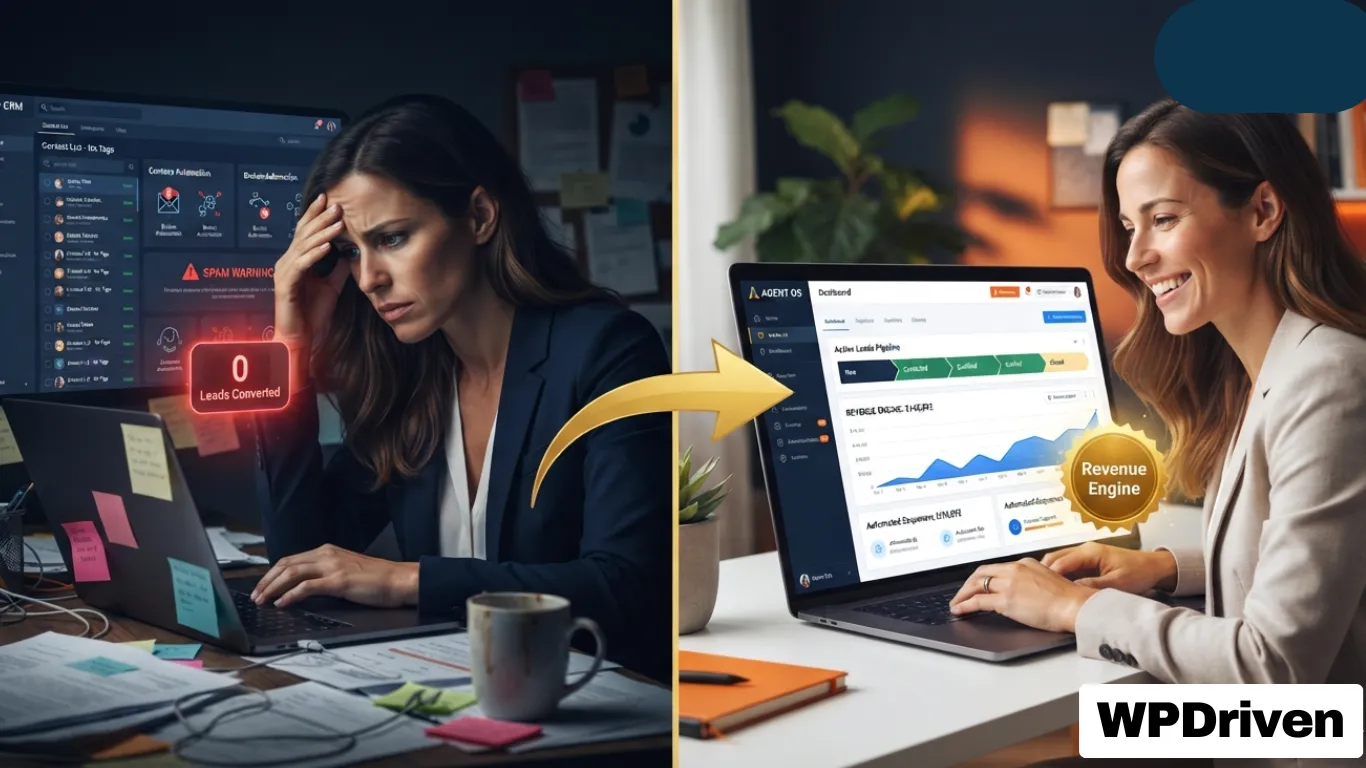
    The modern business owner faces a fragmented technology landscape. Your CRM, email marketing, social media, and customer support tools all operate in silos.

    You’re not running a business; you’re managing a collection of software subscriptions.

    The Silo Effect: You have leads in your CRM, questions in your DMs, tasks in your project management tool, and social posts in a spreadsheet. This fragmentation creates manual work and lost opportunities.

    The Human Bottleneck: You and your team become the “glue” holding these systems together, spending hours on routine tasks instead of high-value strategy and relationship building.

    The “Digital Tax”: You’re paying for tools that don’t talk to each other. Your subscription bill is high, but your automation level is low.

    The Verdict from Enterprises Is Clear

    “Without a system that unifies context, AI remains a collection of experiments. Our challenge as an industry isn’t the lack of models or data; it’s that everything is disconnected.”
    — Murali Swaminathan, CEO, Commotion

    This isn’t just a small business problem. Global enterprises face the same fragmentation. They run multiple copilots and AI applications that don’t speak to each other, meaning data sits in silos and actions cannot be traced. Leaders hesitate to let AI drive decisions because there is no unified control, visibility, or governance.

    The result: AI remains stuck in “pilot purgatory”—interesting demos that never make it to business-critical operations.


    The Solution: What Is a Business Operating System (OS)?

    Just like your computer has an OS (macOS, Windows) that manages all your hardware and applications, your business needs an OS to manage all your data, workflows, and customer interactions.

    What a Business OS Does:

    1. Centralizes Data: All lead, client, and operational data lives in one unified system.
    2. Automates Workflows: Routine tasks (follow-ups, scheduling, data entry) are handled automatically.
    3. Provides a Single Source of Truth: You get one dashboard showing your business’s health in real-time.
    4. Enables AI Agents to Act, Not Just Suggest: Modern AI OS platforms move beyond insights to intelligent action at scale, completing end-to-end business tasks autonomously.

    The “operating system” concept has been validated by major technology companies. Palantir and Dell recently announced a joint solution they’re calling an AI operating system—a full software and hardware stack that brings production-grade AI agents and workflows to organizations that can’t afford to let their data leave the building. Contentstack has introduced Agent OS as a unified architectural foundation that turns automation into intelligence and measurable business impact.

    DingTalk has launched its own Agent OS, positioning it as the world’s first AI-native operating system built specifically for intelligent work collaboration. Meanwhile, Commotion, backed by Tata Communications and NVIDIA, has launched an AI OS that helps enterprises move from “recommendation to execution” with measurable results.

    The trend is clear: The most sophisticated organizations are moving from fragmented tools to unified operating systems for their business.


    Agent OS: WPDriven’s Implementation for Modern Businesses

    Agent OS is a complete system that organizes your leads, automates follow-ups, and books appointments while you sleep. Agents using Agent OS recover an average of 12 untouched leads in the first 30 days.

    Core Components of Agent OS:

    ComponentWhat It Does
    Unified CRMEvery lead in one place. Auto-labeled by source. Buyer or seller. All automatic.
    Jane the AI ChatbotTrained on your listings and FAQs. Answers questions overnight. Books appointments. Works 24/7.
    Voice Agent for CallsTakes inbound calls when you can’t. Same knowledge as Jane. Qualifies callers and sends you the details.
    Smart AutomationsComments, follow-ups, reminders—anything repetitive runs on its own. Hot leads land in your inbox.
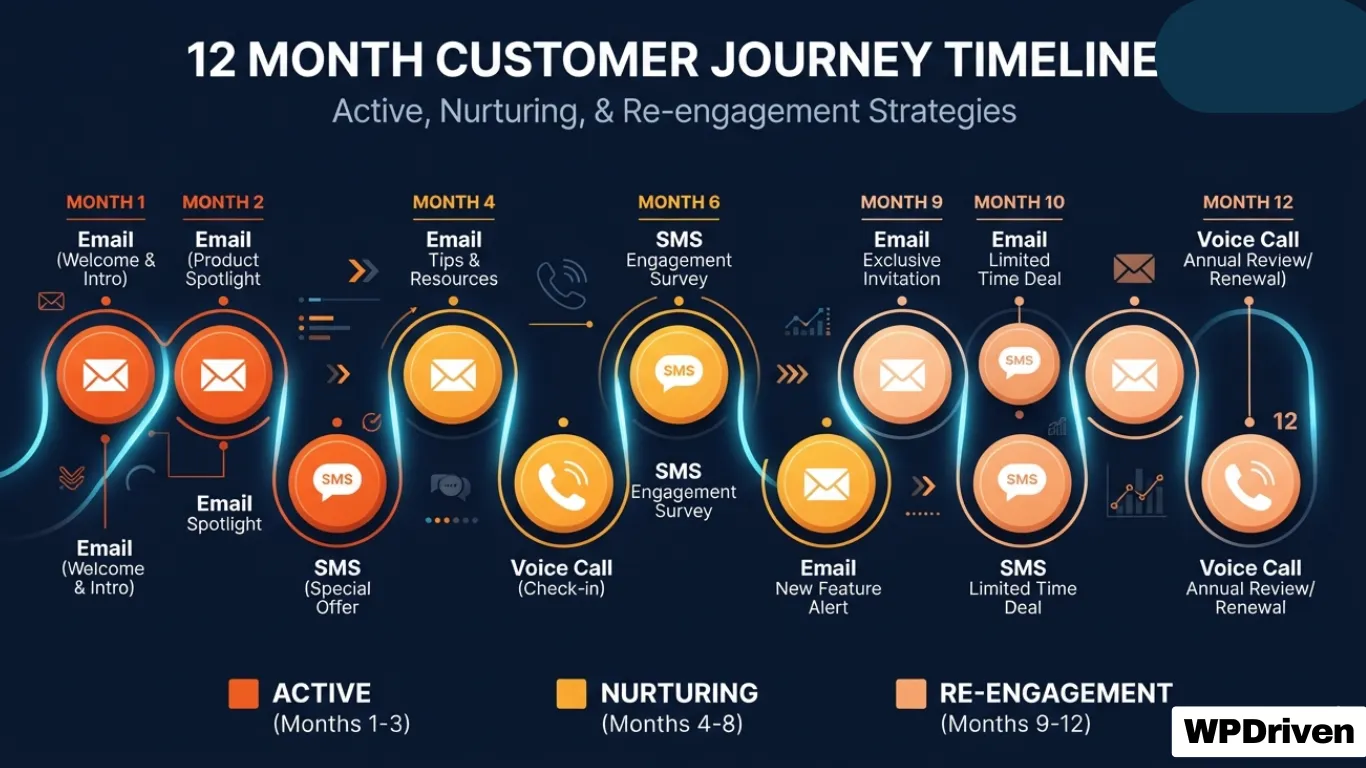
    12-Touch Nurture SequenceUnresponsive leads don’t get forgotten. Drop them in Nurture. The system checks in over time. No spam. Just reminders until they reply.

    The Result: A business that runs on autopilot, allowing you to focus on growth, strategy, and high-level client relationships.


    Why an AI-OS is Critical for Global Business

    1. Time Zone Independence

    Your AI never sleeps. It works for you in every time zone, capturing leads and answering queries internationally. When a lead in London fills out a form at 2 AM your time, Agent OS responds instantly.

    2. Scalable Operations

    You can scale your business model to new markets and verticals without multiplying your headcount. One system serves unlimited leads.

    3. Consistent Client Experience

    Every global client receives the same high-quality, automated experience. No dropped balls. No forgotten follow-ups.

    4. Measurable Results

    Organizations using enterprise AI OS platforms are already achieving measurable results:

    • A global telecom provider resolving over 40% of operational issues autonomously, reducing resolution time by 35%
    • An international airline expecting AI to handle 30% of inbound customer calls in year one

    Summary

    If Your Business Struggles With…A Business OS Like Agent OS Provides…
    Fragmented software toolsUnified CRM and data centralization
    Manual follow-up and missed leadsSmart automations and 24/7 lead capture
    Inconsistent client experienceConsistent, automated engagement across time zones
    Scaling without hiringScalable operations without headcount growth
    Wasting time on routine tasksAI agents that execute tasks autonomously

    Your Next Step

    Your business is ready for an upgrade. Stop collecting software. Start building a system.

    Option 1: See Agent OS in Action
    ➡️ Learn More About Agent OS →

    Option 2: Book a Strategy Call
    📞 Discuss Your Business System →

    Option 3: Start with One Piece (The AI Chatbot)
    🤖 Get Jane the AI Chatbot – $299 →


    Related Posts

  • Electrician Digital Marketing: Get Found, Get Booked, Get Paid

    Electrician Digital Marketing: Get Found, Get Booked, Get Paid

    Quick Answer: Electrician digital marketing is about being visible when homeowners search for help. A combination of local SEO, Google Business Profile optimization, targeted ads, and a conversion-focused website creates a predictable stream of leads — turning your online presence into your best-performing salesperson.


    Why Electricians Struggle With Online Marketing

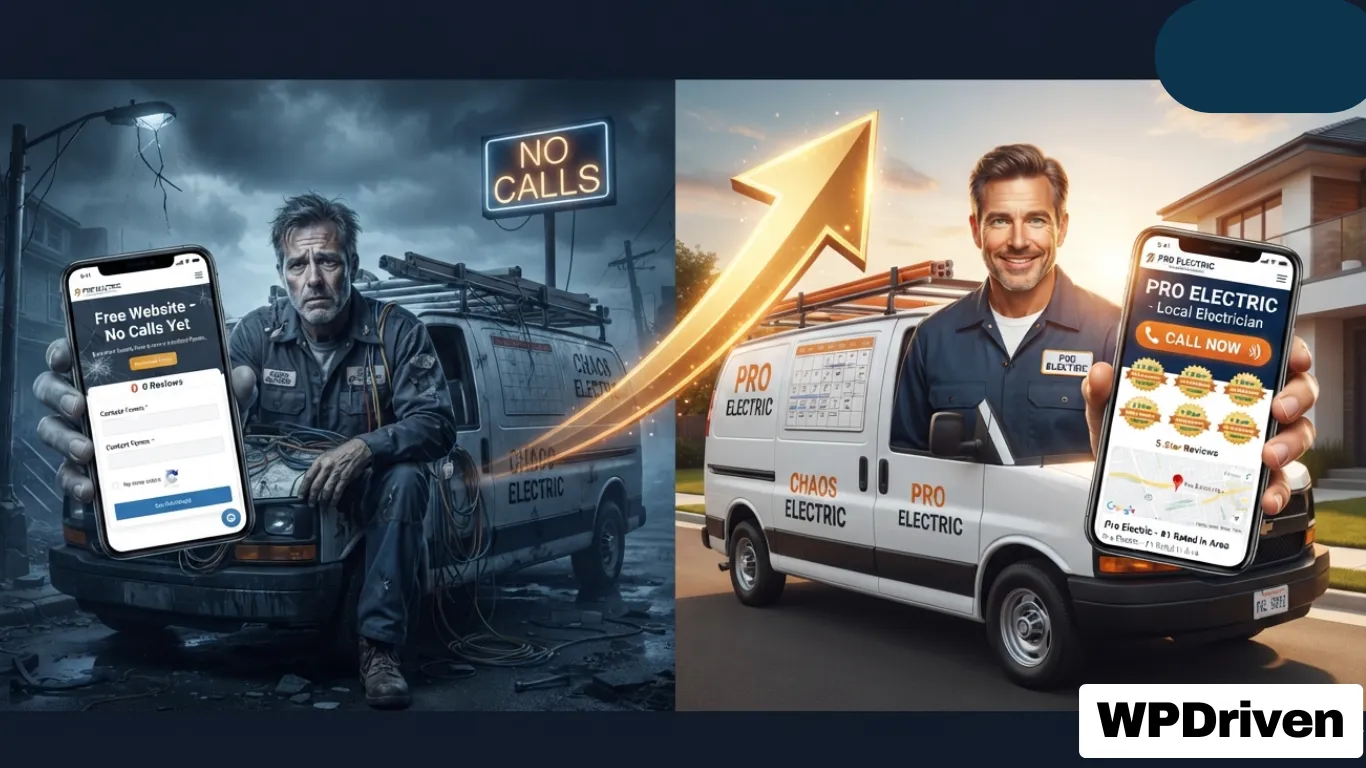
    You don’t have a lead problem. You have a visibility and conversion problem.

    Most electricians deal with inconsistent calls. Some weeks feel packed, others feel dead. That unpredictability makes it hard to grow, hire, or even relax a bit. The demand is there. The visibility isn’t.

    Here’s the reality: if you don’t show up on Google Maps or the first page of search results, you’re invisible. High-intent searches like “emergency electrician near me” are where the money is. Miss those, and you miss ready-to-book customers.

    Simple truth: if they can’t find you, they can’t hire you.


    The Modern Electrician’s Marketing Funnel

    Marketing isn’t just about showing up online — it’s about showing up at the right time with the right message.

    A “marketing funnel” describes the journey people go through from the moment they realize they need a service to the point they choose who to hire.

    StageWhat’s HappeningYour Opportunity
    AwarenessHomeowner notices flickering lights or a tripped circuit. They search online for causes — not yet ready to call.Create helpful content that answers their questions and builds trust early
    ConsiderationAfter research, they realize they need a pro. Now they’re Googling local electricians, reading reviews, and comparing websitesShow up in local search with a strong Google Business Profile and positive reviews
    DecisionThey choose the electrician they trust most — often based on online presence, reviews, and how easy it is to contact themMake it effortless to call or book. Clear CTAs, click-to-call buttons, and fast response times

    If your business only shows up at the decision stage, you’re missing opportunities to build trust earlier in the process.


    The 5-Channel Electrician Marketing Stack

    You don’t need more tactics. You need the right mix working together.

    ChannelRoleResult
    SEOLong-term visibilityFree ongoing traffic
    Google Business ProfileLocal map presenceHigh-intent calls
    Local Services Ads (LSAs)Pay-per-leadFast conversions
    PPC / Google AdsImmediate trafficScalable leads
    Social MediaTrust buildingBrand awareness

    Each channel targets a different stage of the buying process. Some people are researching. Others need help now. When you combine all five, you stop relying on one source. That’s how you stabilize your lead flow.


    Local SEO — The Foundation

    SEO is your long game. It takes time, but it pays off. Search results are smarter now. Google looks at relevance, authority, and user experience.

    Key electrician SEO strategies:

    StrategyWhat to Do
    Service PagesOne page per service: panel upgrades, emergency repairs, wiring installation
    Location PagesTarget the cities you serve with dedicated pages
    Internal LinkingLink everything together so users and search engines can move through your site easily
    Local CitationsList your business in directories. Get links from local and industry sites

    Timeline and ROI: Electrician SEO services typically take about 3 to 6 months to show solid results. But once it works, it keeps bringing in leads without paying per click.


    Google Business Profile — Get More Calls from Maps

    Your Google Business Profile (GBP) is often the first thing people see. It can drive more calls than your website if done right.

    Optimization Basics:

    • Correct name, address, phone (NAP consistency matters!)
    • Proper categories
    • Updated photos of your work
    • Keep everything consistent across platforms

    Reviews Strategy

    Reviews can make or break your listing. Ask for reviews after every job. Keep it simple. Then respond to them — it shows you care and helps rankings. Most consumers read reviews before choosing a service provider.

    Pro tip: 83% of consumers use Google to find local business reviews. If your reviews aren’t strong, you’re invisible to almost all potential customers.


    Paid Advertising — Get Leads Fast

    Google Local Services Ads (LSAs)

    LSAs are designed specifically for local businesses. They appear at the top of search results and use a pay-per-lead model, which means they can be significantly cheaper than standard ads. Google may show a “Google Guaranteed” badge after verification, which builds instant trust.

    Why electricians use LSAs:

    • They appear at the very top of search results
    • More visibility = higher chances of getting calls
    • Faster replies often lead to more bookings

    Google Ads (PPC)

    Sometimes you need leads now, not months later. PPC puts you at the top of search results immediately.

    Campaign types that work:

    • Search ads for high-intent keywords
    • Call-only ads for urgent services
    • Retargeting to bring back missed visitors

    Budget and tracking: Track every lead. Know your cost per call. If you’re not measuring, you’re guessing — and guessing costs money.


    Your Website — The 24/7 Salesperson

    Your website should do more than look decent. It should work as hard as you do — bringing in calls, capturing leads, and showing homeowners you’re the pro they can trust.

    The five non-negotiables for an electrician website:

    RequirementWhy It Matters
    Visibility (SEO)Built so search engines understand who you are, where you operate, and what services you offer
    Mobile-First61% of electrician-related searches happen on mobile
    Security (HTTPS)Builds trust with visitors
    Fast Loading40% of visitors leave if a site takes more than 3 seconds to load
    Great UXEasy navigation, prominent contact details, clear services

    Core elements to include:

    • Click-to-call buttons on every page
    • Booking forms
    • Live chat
    • Reviews and trust signals

    Every page should answer three things instantly:

    1. What do you do
    2. Where do you work
    3. How do they contact you

    Content That Builds Trust

    You might not think of yourself as a content creator — but educating your audience builds trust, and trust leads to jobs.

    Why content works:

    • 82% of customers feel more confident in a company after reading custom content
    • 70% feel closer to a brand because of it
    • Every blog post is an opportunity to answer a common customer question

    Content ideas for electricians:

    • Before-and-after project photos
    • FAQs about common electrical problems
    • Blog posts explaining repair vs. replace
    • Seasonal safety tips

    When someone lands on your website and finds answers to their questions — whether about GFCIs, circuit breakers, or panel upgrades — they instantly see you as an expert.


    Key Electrician Keywords to Target

    Keywords connect your services to what people search for.

    Keyword TypeExamples
    High-Intentelectrician near me, emergency electrician [city]
    Service-Basedelectrical repair, panel upgrades, wiring
    Long-Tailhow much does an electrician cost, panel upgrade cost [city]

    Use one main keyword per page. Match your content to what people actually want.


    What an Electrician Website & Marketing System Should Do

    If You Want…You Need…
    More emergency callsLocal SEO + Google Map Pack optimization
    Trust and credibilityProfessional, mobile-responsive website with reviews
    More online bookingsOnline scheduling + clear CTAs
    Immediate visibilityGoogle Local Services Ads
    Long-term authorityBlog content + local citations

    Your Next Step

    If you’re an electrical contractor ready to stop losing leads to competitors and start growing your business:

    Option 1: Get a Professional 5-Page Website
    ➡️ $299 One-Time — Built in 5 Days →

    Option 2: Add an AI Chatbot for 24/7 Lead Capture
    🤖 Custom AI Chatbot — $299 One-Time →

    Option 3: Free Consultation — Let’s Talk About Your Business
    📞 No-Obligation Call →


    Related Posts

  • AI Chatbot vs. Live Chat for Small Business: Which Is Better?

    AI Chatbot vs. Live Chat for Small Business: Which Is Better?

    Quick Answer: Neither is universally “better.” AI chatbots are 5–12x cheaper, respond instantly, and work 24/7 — but struggle with complex or emotional issues. Live chat provides empathy and judgment — but costs $35,000–$55,000 annually per agent and can’t scale. Most small businesses are best served by a hybrid approach: chatbot-first for routine queries, human escalation for complex cases.


    Why the “Which Is Better” Question Is Misleading

    Ask customers what they prefer, and the answer seems clear: 64% say they prefer companies don’t use AI in customer service . 93.4% say they prefer humans .

    But watch what they actually do. When both chatbot and live chat are available simultaneously, 67% choose the chatbot .

    The gap exists because abstract preference surveys measure what “sounds reasonable” when customers aren’t facing actual problems. In the moment — checking order status, asking about hours, or getting a quick answer — speed and convenience override abstract preferences .

    The real question for small businesses isn’t “which is better?” It’s “when does each deliver value?”


    Side-by-Side Comparison

    DimensionAI ChatbotLive ChatWinner
    First response time<10 seconds35 sec avg (4+ min with queue)Chatbot 
    Cost per interaction$0.50–$1.00$5–$12Chatbot (5-12x cheaper) 
    24/7 availabilityYesRequires shift rotation (4–5 FTEs)Chatbot 
    Resolution rate50% avg, 70–80% optimized70–79% first-contactLive chat for complex 
    ScalabilityUnlimited concurrentLinear (more agents = more cost)Chatbot 
    Customer satisfaction (CSAT)64.7%64.2%Tied 
    Empathy & judgmentSimulatedGenuineLive chat 

    The economics diverge sharply: A single full-time U.S. agent costs $35,000–$55,000 annually fully loaded, and 24/7 coverage requires 4–5 FTEs per seat for shift rotation . AI chatbot resolutions cost approximately $0.50–$1.00 per interaction .


    When to Use AI Chatbots

    Ideal Scenarios

    ScenarioWhy Chatbot Wins
    Handling repetitive FAQs“Where’s my order?” “What are your hours?” — chatbots handle these instantly 
    After-hours support24/7 coverage without staffing 3 shifts 
    High traffic, low complexityDuring sales surges, chatbots handle thousands of conversations simultaneously 
    Lead generationCollects name, email, and interest before handing off to sales 
    Multiple languagesOne travel company saw a 25% increase in online bookings after implementing a chatbot in 15 languages 

    What Modern AI Chatbots Can Actually Do

    If your last chatbot experience involved typing the same question three times before giving up, you’re not evaluating the right technology. Rule-based systems that earned negative reputations operated on if/then logic and couldn’t handle typos or unexpected phrasing .

    Generative AI chatbots changed what’s possible:

    • Interpret context and maintain conversation history
    • Handle typos and unexpected phrasing naturally
    • Support 85+ languages automatically
    • Take autonomous actions like booking appointments 

    Salesforce’s Agentforce has autonomously resolved 84% of 380,000+ customer interactions, with only 2% requiring human intervention .


    When Live Chat Wins

    Where Humans Still Matter

    ScenarioWhy Live Chat Wins
    Complex problem-solvingBilling disputes, technical troubleshooting 
    Empathy and judgmentSensitive issues like “My order never arrived” or “This is a gift for my grandmother” 
    High-value salesUpselling and cross-selling requires reading between the lines 
    Building relationshipsLuxury brands or professional services where trust is paramount 

    The human advantage: Live chat agents read tone, recognize frustration before it escalates, and provide genuine empathy . Research shows live chat achieves 70–79% first-contact resolution across most issue types, outperforming chatbots for complex problems .

    But there’s a catch: One agent can handle only 4–5 chats simultaneously. During peak times, customers experience wait times averaging 4 minutes 18 seconds, and 27.4% drop out before being served .


    The Decision Framework

    Use these three variables to decide what’s right for your business:

    1. Monthly Inquiry Volume

    VolumeRecommended
    Under 50 inquiriesPart-time live chat may be cheaper
    50–100 inquiriesBreak-even point — either could work
    500+ inquiriesChatbot-first with human escalation 

    2. Query Complexity Mix

    MixRecommended
    70–80% routine (FAQs, order tracking)Chatbot-first
    Complex, customized inquiriesLive chat-first 

    3. Customer Demographics

    DemographicPreference
    Gen Z (18–34)51% use AI weekly, most forgiving of mistakes 
    Boomers (45+)61% won’t retry a failed bot experience 

    The Hybrid Model — Best of Both

    For most small businesses, the highest-performing model isn’t a bot OR a human — it’s a bot-augmented human .

    How it works:

    1. Chatbot greets visitors and handles routine questions
    2. AI detects complex queries, frustration, or explicit requests for a human
    3. Conversation transfers seamlessly to a live agent with full history 

    The results: Harvard Business School research analyzing 256,934 conversations found AI-assisted agents responded 20% faster than unassisted agents, with improved empathy. The effect was strongest for less-experienced agents, providing the equivalent of 1.5 years of additional experience .

    For Real Estate Agents (Your Agent OS Customers)

    Real estate agents have a clear use case for a hybrid system:

    Query TypeWho HandlesExample
    “Is this property available?”AI chatbotInstant 24/7 response
    “Book a tour for 123 Main St”AI chatbotAutomatic calendar booking
    “Why didn’t my offer get accepted?”Human agentRequires context and empathy
    “I want to sell my house — what’s it worth?”Human agentJudgment-based conversation

    This is exactly what Agent OS does: Jane the AI chatbot handles routine inquiries and bookings, while the agent focuses on high-value conversations .


    Real Cost Comparison

    For a Business with 1,000 Queries/Month

    ModelMonthly CostScalability24/7 SupportAvg Response Time
    Basic Chatbot~$99 (fixed)UnlimitedYes<5 seconds 
    GPT/LLM Chat Agent~$1,000 (at $1/query)UnlimitedYes<5 seconds 
    Live Chat (2 agents)$2,400+Limited by headcountRequires extra staffing1–10 minutes 

    Annual savings with hybrid approach: $10,000+ 


    How to Build a Hybrid System

    Step 1: Identify Your Routine Queries

    Write down the 10 most common customer questions. These are your chatbot’s job.

    Step 2: Set Escalation Rules

    TriggerAction
    Customer says “human” or “agent”Escalate immediately
    Query contains “billing,” “dispute,” or “complaint”Flag for human review
    Chatbot can’t find relevant info after 3 attemptsEscalate with conversation history
    Sentiment analysis detects frustrationOffer human option 

    Step 3: Choose Your Implementation

    Option A: Start with AI Chatbot (WPDriven)

    • $299 one-time setup + $5–20/month API fees
    • Build in 5 days. Unlimited revisions.
    • Add human escalation later 

    Option B: Full Agent OS System (Real Estate)

    • Complete CRM + AI chatbot + voice agent + social automation
    • Escalation rules built in

    Option C: Custom Hybrid

    • Let WPDriven build the exact system your business needs 

    FAQ

    Are customers really okay with chatbots?

    Yes — when both options are available, 67% choose the chatbot. Speed and convenience win .

    Will a chatbot hurt my customer satisfaction?

    Well-built chatbots achieve a CSAT of 64.7%, essentially matching human agents at 64.2% .

    What if my chatbot can’t answer a question?

    That’s why escalation exists. A well-built hybrid system transfers to a human with full conversation history .

    Do I need to be technical to set this up?

    No. WPDriven builds and trains everything. You just provide your FAQs .


    Your Next Step

    You now know the strengths and weaknesses of AI chatbots and live chat.

    If you’re ready to start with a custom AI chatbot that handles 50–80% of your routine queries:

    ➡️ Get a Custom AI Chatbot Built in 5 Days – $299 →

    If you’re a real estate agent needing a complete system (chatbot + CRM + voice agent):

    🏠 See Agent OS for Real Estate →

    If you’re unsure which approach fits your business:

    📞 Free Consultation – We’ll Help You Decide →


    Related Posts

  • Why Most DIY Chatbots Fail (And What to Do Instead)

    Why Most DIY Chatbots Fail (And What to Do Instead)

    Quick Answer: Why Most DIY chatbots fail because they’re built on rigid “if-then” logic that breaks the moment a customer asks an unexpected question. They can’t handle typos, don’t remember context, and require constant manual updates. A custom AI chatbot powered by ChatGPT, Claude, or Gemini solves all of these problems — without the headaches.


    The Promise vs. The Reality

    The promise of DIY chatbots: “Build your own chatbot in minutes. No coding required. Save thousands.”

    The reality: You spend 20 hours building flows, testing scripts, and fixing broken responses. Two weeks later, a customer asks something slightly different, and the chatbot replies: “I’m sorry, I didn’t understand that.”

    Sound familiar?

    You’re not alone. Most DIY chatbots fail within the first 30 days — not because chatbots don’t work, but because rules-based systems can’t handle real conversations.


    The 5 Reasons DIY Chatbots Fail

    Failure #1: Rigid “If-This-Then-That” Logic

    Most DIY chatbots (ManyChat, Chatfuel, MobileMonkey) use decision trees. You write a question, then script every possible answer.

    What the customer typesWhat the chatbot hears
    “What are your hours?”Trigger → “Hours” response
    “When are you open?”❌ No match → “I don’t understand”
    “What time do you close?”❌ No match → “I don’t understand”
    “Are you open on Sundays?”❌ No match → “I don’t understand”

    The problem: Customers don’t all ask the same way. A DIY chatbot breaks the moment someone rephrases a question.

    Real example: A restaurant chatbot trained to respond to “What are your hours?” failed when a customer asked “When do you open for dinner?” The chatbot replied: “I’m sorry, I don’t understand that question.”

    Failure #2: No Context Memory

    DIY chatbots treat every message as a brand new conversation.

    Example conversation:

    Customer: “Do you offer gluten-free pizza?”
    Chatbot: “Yes, we have a gluten-free crust option.”
    Customer: “How much is it?”
    Chatbot: “I’m sorry, I don’t understand. Please rephrase your question.”

    Why it failed: The chatbot forgot the customer was asking about gluten-free pizza. It saw “How much is it?” as a new, standalone question.

    Impact: Customers get frustrated and leave. One study found that 65% of users abandon a chatbot that fails to remember context within 3 exchanges.

    Failure #3: Can’t Handle Typos or Natural Language

    Real customers don’t type perfectly.

    What customers actually typeDIY chatbot response
    “wat r ur hours”❌ “I don’t understand”
    “do yous serve my area?”❌ “I don’t understand”
    “how mutch 4 a website?”❌ “I don’t understand”

    The problem: DIY chatbots match exact keywords. If you wrote “hours” but the customer typed “hour”, “hrs”, or “opening time” — no match.

    AI-powered chatbots (like WPDriven’s) understand intent, not just keywords. They handle typos, slang, and varied phrasing naturally.

    Failure #4: No Learning or Improvement

    DIY chatbots don’t get better over time.

    You build it. You launch it. It stays exactly the same — unless you manually update every flow.

    Real example: A real estate agent’s DIY chatbot answered “What’s the price of 123 Main St?” perfectly. But when a customer asked “How much is the blue house on Main?” — nothing. The chatbot had no way to learn that “blue house” meant the same property.

    AI-powered chatbots can be retrained on new data. You add new FAQs, and the AI adapts without rebuilding flows.

    Failure #5: Hidden Maintenance Costs (Your Time)

    The “free” or “cheap” DIY chatbot costs you in time.

    TaskDIY TimeDone-for-You (WPDriven)
    Initial setup10-30 hours0 hours (we build it)
    Testing & debugging5-15 hours0 hours
    Updating responses1-2 hours/week0 hours (optional $49/mo)
    Fixing broken flows2-5 hours/month0 hours
    Total first year200-500 hours1-2 hours (providing content)

    If your time is worth $50/hour, a “free” DIY chatbot costs you $10,000–$25,000 in lost time.


    What Works Instead — Custom AI Chatbots

    A custom AI chatbot (like the ones WPDriven builds) solves every problem above.

    FeatureDIY ChatbotAI Chatbot (WPDriven)
    Understands natural language❌ (exact keywords only)
    Handles typos and slang
    Remembers conversation context
    Learns and improves over time❌ (manual updates only)✅ (retrain with new data)
    Works 24/7
    Books appointments automatically🟡 (requires complex flows)✅ (native)
    Captures leads automatically🟡 (basic)✅ (advanced qualification)
    Your time required200-500 hours/year1-2 hours (setup) + 0-1 hour/month
    Monthly cost$15–$100 + your time$5–$20 (API fees)

    Real Example — A Plumbing Company’s DIY Failure

    The setup: A plumbing company spent 25 hours building a DIY chatbot on ManyChat. They programmed responses for “emergency plumbing,” “leaky faucet,” “water heater,” and “service area.”

    The failure (first week):

    Customer: “My basement is flooding. Need help now.”
    Chatbot: “I’m sorry, I don’t understand ‘basement flooding.’ Please type ’emergency plumbing’ or ‘leaky faucet.’”

    The customer left. They called a competitor who answered the phone.

    What went wrong: The chatbot was trained on keywords, not intent. “Basement flooding” wasn’t in the exact list of triggers.

    The fix: WPDriven built them an AI chatbot trained on natural language. Now when a customer types “My basement is flooding,” the AI understands “emergency” + “water” + “urgent” and responds appropriately — even if the exact phrasing isn’t in the training data.

    Result: 18 after-hours leads captured in the first month. 3 converted to $500+ jobs.


    The 3 Types of DIY Builders (And Which One You Are)

    Type 1: The Tinkerer

    You enjoy learning new tools. You have 20+ hours to spare. You don’t mind debugging.

    Verdict: DIY might work for you — if you have patience and low stakes.

    Warning: Your time isn’t free. Those 200 hours could have been spent growing your business.

    Type 2: The Business Owner (Most Common)

    You don’t care about chatbots. You care about not losing leads. You want it to work without your involvement.

    Verdict: Done-for-you AI chatbot is the right choice. You provide content. We build it in 5 days.

    Type 3: The “I’ll Get to It Later”

    You bought a DIY subscription 6 months ago. You never built the chatbot. You’re still paying monthly.

    Verdict: Cancel the subscription. Let WPDriven build it for you. You’ll launch in 5 days, not 6 months.


    How to Do It Right (Without DIY Headaches)

    Step 1: Stop Building. Start Providing.

    Instead of learning flowchart software, write down:

    • Your top 10 customer questions
    • Your answers to those questions
    • Your booking link or phone number
    • Any rules (service area, minimum job size, etc.)

    That’s it. That’s all you need.

    Step 2: Let AI Handle the Rest

    A custom AI chatbot:

    • Reads your FAQs once
    • Understands natural language variations
    • Remembers what the customer said
    • Books appointments automatically
    • Escalates to you when needed

    Step 3: Launch in 5 Days

    WPDriven builds your custom AI chatbot in 5 days. Unlimited revisions. One-time fee of $299 plus API usage ($5–20/month).

    No monthly platform fees. No hidden costs. No time wasted.


    DIY vs. Done-for-You

    FactorDIY ChatbotWPDriven AI Chatbot
    Your time investment200-500 hours/year1-2 hours (total)
    First-year cost$15–100/mo + your time ($10k-25k)$299 one-time + $5-20/mo API
    Understands natural language
    Handles typos
    Remembers context
    Books appointmentsComplexNative
    Launch timeline4-12 weeks (or never)5 days
    Frustration levelHighNone

    FAQ

    Can’t I just use ChatGPT for free on my website?

    Not directly. ChatGPT doesn’t know your business hours, prices, or booking links. You’d need to build a custom integration — which is what WPDriven does for you.

    What if I already built a DIY chatbot and it’s failing?

    We can audit your current chatbot, identify the broken flows, and rebuild it as an AI-powered system. Most clients see results within a week.

    How much does a custom AI chatbot cost?

    $299 one-time setup + API fees ($5–20/month). No monthly platform fees. Cancel anytime.

    Do I need to be technical?

    No. You provide content. We build everything.

    Can I add more features later?

    Yes. Start with a chatbot, then add lead generation AI, social media automation, or a full CRM system (Agent OS for real estate).


    Your Next Step

    You’ve seen why DIY chatbots fail. You’ve seen what works instead.

    If you’re tired of:

    • Building flows that break
    • Wasting hours on debugging
    • Losing leads to “I don’t understand” responses

    Here’s what to do:

    Option 1: Get a Custom AI Chatbot Built in 5 Days
    ➡️ $299 One-Time →

    Option 2: Free Consultation — No Obligation
    📞 Let’s Talk About Your Business →

    Option 3: For Real Estate Agents — Get the Full System (Agent OS)
    🏠 See Agent OS →


    Related Posts

  • What Businesses Need AI Chatbots? (Self-Assessment Checklist for 2026)

    What Businesses Need AI Chatbots? (Self-Assessment Checklist for 2026)

    Any business that answers repetitive customer questions, captures leads online, or operates outside 9-5 hours needs an AI chatbot. But not every business is ready. Use the checklist below to find out if yours is.


    Why This Question Matters

    You’ve read about AI chatbots. You’ve seen the stats. Maybe your competitor already has one.

    But you’re still asking: “Does my specific business actually need this?”

    Good. That’s the right question.

    Because an AI chatbot is a tool. And like any tool, it’s only valuable if it solves a real problem you have.

    In this post, I’ll give you a simple self-assessment checklist to determine if your business is ready for — and would benefit from — an AI chatbot.


    The 7 Signs Your Business Needs an AI Chatbot

    Take this quick assessment. Check each box that applies to your business.

    Sign #1: You Answer the Same Questions Repeatedly

    ☐ Yes — My team answers the same 5-10 questions every single day

    ☐ Sometimes — We get repeats but not constantly

    ☐ No — Every customer question is unique

    If you checked “Yes”: An AI chatbot can handle 50-80% of repetitive questions automatically. Your team focuses on complex issues.

    Examples of repetitive questions:

    • “What are your hours?”
    • “How much does service cost?”
    • “Do you serve my area?”
    • “How do I book an appointment?”
    • “What’s your refund policy?”

    Sign #2: You Lose Leads Outside Business Hours

    ☐ Yes — We get inquiries at night, on weekends, and during holidays that go unanswered

    ☐ Sometimes — We get after-hours leads but respond the next morning

    ☐ No — We respond within minutes 24/7 (or have no after-hours inquiries)

    If you checked “Yes”: You are literally leaving money on the table. Every unanswered after-hours lead is a potential customer who went to a competitor.

    Real example: A plumbing company added a chatbot and captured 18 after-hours leads in the first month. Three turned into $500+ emergency jobs.


    Sign #3: Your Team Is Overwhelmed by Customer Messages

    ☐ Yes — We can’t keep up with emails, DMs, and contact form submissions

    ☐ Sometimes — We manage, but it takes significant time daily

    ☐ No — Customer messages are never a bottleneck

    If you checked “Yes”: An AI chatbot acts like an extra team member — for a fraction of the cost. It handles the volume so your team handles the value.


    Sign #4: You Have a Website but Low Conversion Rate

    ☐ Yes — We get traffic but few people contact us

    ☐ Sometimes — Conversion could be better but isn’t terrible

    ☐ No — Our website converts well already

    If you checked “Yes”: Most visitors leave without taking action because they have a question that isn’t answered. A chatbot engages them immediately.

    Data: Websites with chatbots see 20-40% higher lead conversion rates on average.


    Sign #5: You’re Paying for Live Chat but Not Seeing ROI

    ☐ Yes — We have live chat but it’s expensive and doesn’t generate enough leads

    ☐ Sometimes — It’s okay but not great

    ☐ No — We don’t use live chat

    If you checked “Yes”: AI chatbots cost 90% less than human live chat agents and work 24/7. Switch and save.


    Sign #6: You Want to Grow Without Hiring More Support Staff

    ☐ Yes — We want to scale but can’t afford to hire more people

    ☐ Sometimes — Hiring is possible but not ideal

    ☐ No — We have plenty of support staff

    If you checked “Yes”: AI chatbots are the ultimate leverage tool. One chatbot can handle 100 conversations simultaneously. No human can.


    Sign #7: Your Competitors Already Have a Chatbot

    ☐ Yes — I’ve seen chatbots on competitor websites

    ☐ Not sure — I haven’t checked

    ☐ No — None of my competitors have one

    If you checked “Yes”: This is a competitive disadvantage. Customers expect instant responses. If your competitor provides them and you don’t, you lose.


    Score Your Results

    Number of “Yes” AnswersVerdictRecommended Action
    0-1Chatbot is optional for youFocus on other priorities first. Revisit in 6-12 months.
    2-3Chatbot would help, but not urgentStart researching. Consider a basic setup.
    4-5Your business is readyImplement a chatbot within 30-60 days.
    6-7You need a chatbot immediatelyYou are losing significant leads and time daily. Act now.

    Industry Breakdown — Who Benefits Most?

    Some industries see dramatically higher ROI from AI chatbots. Here’s how your industry stacks up:

    IndustryNeed LevelWhy
    Home Services (Plumbing, Electrical, Roofing, HVAC)🔥🔥🔥 CriticalEmergency jobs come at all hours. 24/7 lead capture is essential.
    Health & Wellness (Coaches, Therapists, Salons, Spas)🔥🔥 HighAppointment booking drives revenue. Automate it.
    Real Estate🔥🔥 HighLeads are time-sensitive. Respond instantly or lose the deal.
    E-commerce🔥🔥 HighCustomer support questions (tracking, returns, sizing) are repetitive and high-volume.
    Restaurants & Hospitality🔥 Medium-HighReservations, menu questions, and catering inquiries happen outside business hours.
    Legal Firms🔥 MediumInitial intake and qualification can be automated, saving paralegal time.
    B2B Services🔥 MediumLead qualification before sales calls is valuable, but volume may be lower.
    Non-profits🔥 MediumDonation questions and volunteer inquiries can be handled 24/7.
    Retail (Brick & Mortar)🔥 MediumStore hours, product availability, and directions are common repetitive questions.
    Manufacturing / Wholesale🔥 LowLonger sales cycles and fewer but larger inquiries. Chatbot less critical.

    The “Not Ready Yet” Checklist

    If you scored low on the assessment, here’s what to fix before investing in a chatbot:

    ☐ Get more website traffic first — A chatbot can’t capture leads if no one visits your site

    ☐ Document your FAQs — Write down the 10 most common customer questions

    ☐ Define your lead qualification criteria — What makes a lead “good” vs. “bad”?

    ☐ Set up basic analytics — Know your current conversion rate before adding a chatbot

    ☐ Prepare your team — Decide when a chatbot should escalate to a human

    Once you have these in place, revisit the chatbot decision.


    What to Do If You’re Ready

    If you scored 4 or more “Yes” answers — congratulations. You’re ready to stop losing leads and start growing.

    Here’s your action plan:

    Option 1: DIY (If You Have Time)

    1. Sign up for a platform (ManyChat, Chatfuel, or GoHighLevel)
    2. Build your first chatbot flow (expect 10-20 hours)
    3. Test, launch, and optimize

    Option 2: Done-for-You (Recommended)

    1. Provide your FAQs, business info, and brand voice
    2. WPDriven builds your custom AI chatbot
    3. Launch in 5 days with unlimited revisions

    ➡️ See AI Chatbot Package – $299 One-Time →


    Real Examples — Businesses Like Yours

    Example 1: HVAC Company (Home Services)

    Before: Missed 80% of after-hours calls. Lost emergency jobs to competitors.
    After AI Chatbot: Captured 18 after-hours leads in month 1. 3 converted to $500+ jobs.
    ROI: 500%+ in first month.

    Example 2: Hair Salon (Health & Wellness)

    Before: 10-15 missed booking inquiries weekly (phone rang during services).
    After AI Chatbot: Automated appointment booking 24/7. 25% increase in weekly bookings.
    Time saved: 5 hours/week of front desk staff.

    Example 3: Real Estate Agent

    Before: 20+ leads/month lost because response time was 2+ hours.
    After AI Chatbot: Instant qualification + automated tour booking. 35% increase in showings scheduled.
    Revenue impact: 2 additional deals closed in first 90 days.


    FAQ

    What if I’m a one-person business? Do I still need a chatbot?

    Yes — especially then. You can’t answer questions while serving customers, driving, or sleeping. A chatbot works for you 24/7.

    Can I try a chatbot without a big commitment?

    Yes. WPDriven offers a 299onetimesetupwithnomonthlyplatformfee(onlyAPIusageat299onetimesetupwithnomonthlyplatformfee(onlyAPIusageat5-20/month). Cancel anytime.

    What if my chatbot doesn’t work perfectly?

    Unlimited revisions during your 5-day delivery window. We don’t stop until you’re happy.

    How long until I see results?

    Most businesses see lead volume increase within the first week of launch.


    Your Next Step

    You’ve taken the assessment. You know where you stand.

    If you scored 4 or more “Yes” answers, here’s what to do:

    Option 1: Get a Custom AI Chatbot
    ➡️ Build in 5 Days for $299 →

    Option 2: Free Consultation (No Obligation)
    📞 Talk to an Expert →

    Option 3: See Industry Examples
    🔍 View Case Studies →


    Related Posts

Does your business have a physical address?
How many new customers can your business take on each month?
What's your annual revenue?
⚠️ Answer honestly so we can help you best ⚠️
How much capital do you have available to use for growing your business?
Boost your landscaping leads.
Share your name, phone number, and project details so we can set up your automated appointment system.
Confirm & Secure
Agree to our data policy to finish your submission.
Let’s Get You Started
Tell us your current platform or website so we can begin setting up your maintenance and update plan.
Ready to keep your app or website running smoothly?
Share your name, phone number, and platform details so we can tailor the perfect maintenance and update plan for you.
Confirm & Secure
Agree to our data policy to finish your submission.
Ready to automate your bookings?
Tell us your current business name and choose your business services to get started.
Ready to boost your bookings?
Share your name, phone number, and calendar details so we can set up your automated appointment system.
Confirm & Secure
Agree to our data policy to finish your submission.
Ready to explore your app vision?
Share your name and email so WPDriven can craft a personalized app concept just for you.
Tell us about your app idea!
Share a few details about your concept or the type of app you want — so we can shape your custom demo perfectly.
Get Started Today
Experience Smart AI Solutions Instantly!
About You
Share a few details about yourself to help us tailor your experience.
man is holding microphone other hand is pointing globe 479259 12580

Unleash WPDriven

Transform your workflow with cutting-edge AI automation.

Ready to grow your business online?
Tell us your platform now
Ready to grow your business online?
Share your name and chosen plan so we can tailor the perfect digital marketing strategy for you.
Ready to see your free website demo?
Share your name and email so we can craft a demo just for you.
Tell us about your website!
Share a few details about your website or the type you want — so we can tailor your demo perfectly.
Ready to see your free website demo?
Share your name and email so we can craft a demo just for you.
Tell us about your website!
Share a few details about your website or the type you want — so we can tailor your demo perfectly.
Ready to see your free website demo?
Share your name and email so we can craft a demo just for you.
Tell us about your website!
Share a few details about your website or the type you want — so we can tailor your demo perfectly.
Reason for Contact
This helps us understand why you’re reaching out.
Let’s Get to Know You at WPDriven!
Share a few details about yourself so we can better assist you.
What brings you here?
What type of Free Demo we can create for you?
Welcome to WPDriven!
Tell us about yourself.
Almost Done!
view new york city sunset

Step into WPDRIVEN
Join today and unlock limitless possibilities with our free demos.