Author: WPDriven

  • The Ultimate Guide to Free Website Builder for Small Business (2026)

    The Ultimate Guide to Free Website Builder for Small Business (2026)

    Quick Answer: Free website builders like Wix, Weebly, and GoDaddy are excellent for getting a basic online presence started. However, “free” comes with trade-offs: branded ads, limited customization, and no data ownership. For a professional, scalable, and conversion-focused business website, investing in a custom solution is the smarter long-term strategy.


    Why This Guide Exists

    You’re a small business owner. You know you need a website. You’ve seen ads for “free” builders. And you’re wondering: Can I really build a professional website for free?

    The answer is: Yes, but with significant trade-offs.

    This guide breaks down exactly what you get (and don’t get) with the most popular free website builders. More importantly, it helps you decide when “free” is the right choice — and when it’s time to invest in a professional solution that actually drives your business.


    The True Cost of “Free”

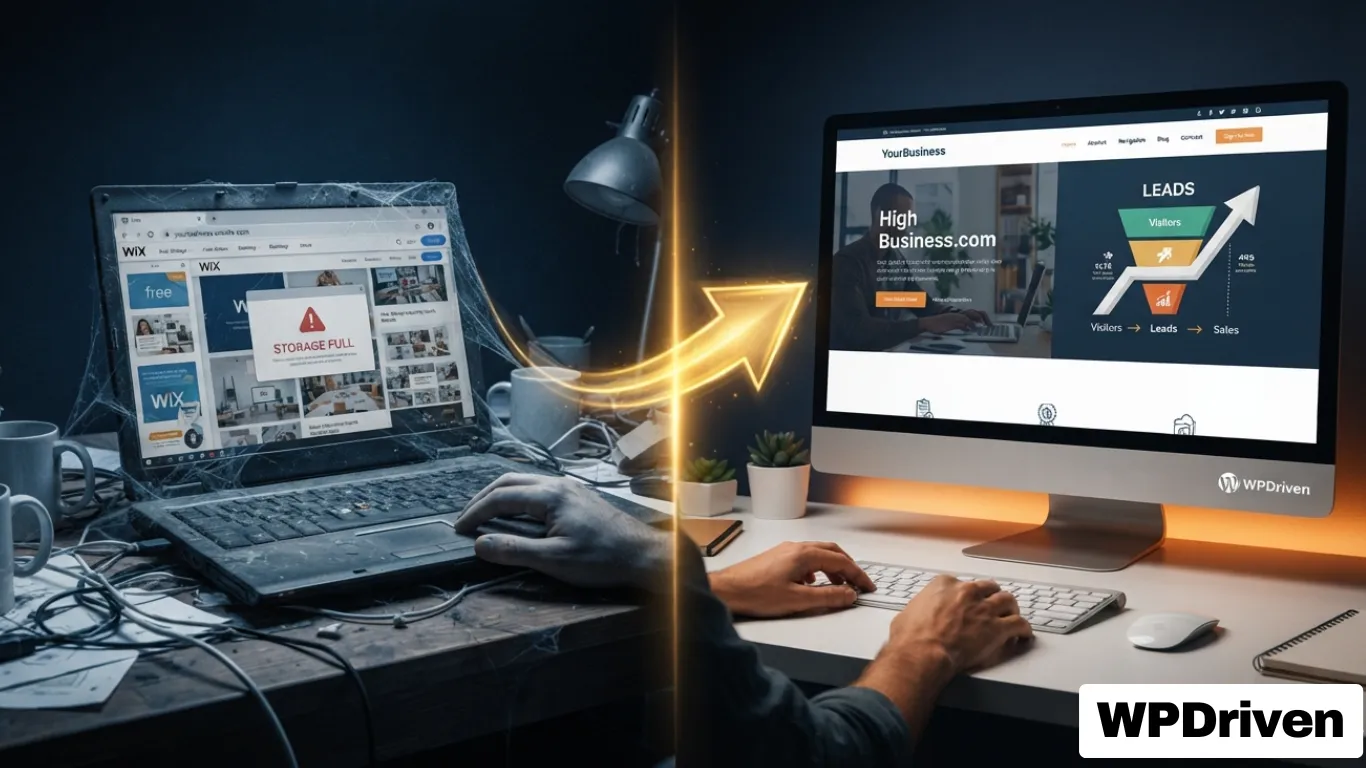
    “Free” website builders are a fantastic entry point. However, they are not truly free. The cost is simply shifted.

    Here are the four hidden costs of using a free website builder for your business:

    1. Branded Ads & Subdomains

    Free PlatformWhat’s Included on Your “Free” Site
    WixWix branded ads displayed on your site
    WeeblyWeebly branding in your footer
    WordPress.com“Powered by WordPress.com” in footer
    GoDaddyGoDaddy branding and ads on your site

    The business impact: You are building your business on someone else’s domain. Instead of yourbusiness.com, your URL will be yourbusiness.wixsite.com or yourbusiness.weebly.com. This looks unprofessional to customers and makes it harder for them to trust you.

    2. Data Lock-In

    Most free builders are “closed” SaaS platforms. This means:

    • You cannot export your content (pages, blog posts, images) easily
    • You cannot migrate to another platform without rebuilding from scratch
    • You do not own your data — the platform does

    The business impact: If you build a successful business on a free platform, you are locked in. As you grow, you cannot easily move to a more powerful or professional solution. You will need to rebuild your entire site, losing time and potentially SEO value.

    3. Scalability Limits

    Free plans have strict limits on:

    LimitationExample
    Storage500 MB – 1 GB (not enough for product images or blog posts)
    BandwidthLimited monthly visits (if you get traffic, your site will shut down)
    FeaturesNo e-commerce, no advanced SEO, no custom forms
    PagesLimited number of pages (e.g., Wix free plan caps at 10 pages)

    The business impact: The moment your business starts growing, your free site will hit limits. You will have to upgrade — often to a costly premium plan — or rebuild on another platform. There is no smooth upgrade path.

    4. No Custom Domain (Without Paying)

    Most free plans require you to use a subdomain (yourbusiness.builder.com). To use your own domain (e.g., yourbusiness.com), you must upgrade to a paid plan.

    The business impact: Customers remember domain names. A custom domain is professional and trustworthy. Without it, you appear amateur and less credible.


    Detailed Comparison of Top Free Website Builders

    PlatformBest ForFree Plan IncludesKey Trade-OffUpgrade Cost (Basic Paid Plan)
    WixOverall flexibility and design500 MB storage, Wix ads, subdomainWix ads on your site; limited storage$16/month
    WeeblyE-commerce features500 MB storage, Weebly footerWeebly branding; limited e-commerce$10/month
    GoDaddyService businesses (appointments)500 MB storage, GoDaddy adsGoDaddy branding; basic design flexibility$9.99/month
    WordPress.comBlogging and content1 GB storage, WordPress.com footerBranding; no plugins or custom themes$4/month
    WPDrivenProfessional, scalable business websitesN/A (paid service)No trade-offs — you own your site entirely$299 one-time setup

    When to Use a Free Website Builder

    “Free” is a good choice for:

    ScenarioWhy It Works
    Testing an ideaYou want to validate a business concept before investing
    Personal projectsYou need a simple portfolio or personal blog
    LearningYou want to experiment with web design and learn the basics
    Very small budgetsYou have $0 budget and need any online presence

    “Free” is NOT a good choice for:

    ScenarioWhy It Fails
    Professional service businessesLawyers, real estate agents, consultants — you need credibility and trust
    E-commerceFree plans have limited products and payment processing
    Growing businessesYou will hit storage and feature limits
    Any business that relies on SEOCustom domains, clean code, and speed matter for rankings
    Anyone who values data ownershipYou don’t own your data — the platform does

    The Professional Alternative — What Actually Works for Small Business

    If you are a service business, a growing e-commerce store, or simply value professionalism, a custom-built website is the right choice.

    Here’s what a professional solution gets you:

    FeatureWhat It Means for Your Business
    Your own domainyourbusiness.com — professional, memorable, trustworthy
    Full data ownershipYou own your content, data, and files. Export them anytime.
    No ads or brandingYour site is 100% yours. No third-party logos.
    Unlimited scalabilityUnlimited pages, products, bandwidth, and storage
    Custom designBuilt for your brand, not a generic template
    SEO-optimizedClean code, fast loading, and proper schema markup
    Built-in lead generationContact forms, chatbots, appointment booking — automated
    Ongoing supportYou get help when you need it, not just a help center article

    Real example: A local plumbing company in Texas was using a free Wix site. They had 10 pages, limited contact form submissions, and no way to capture after-hours leads. WPDriven built them a professional, 5-page website with an AI chatbot. In the first month, they captured 18 after-hours leads. Three converted to $500+ jobs. Their investment? $299 one-time.


    Cost Comparison — Free vs. Professional

    FactorFree Website Builder (e.g., Wix)Professional Custom Site (WPDriven)
    Upfront cost$0$299 one-time setup
    Monthly cost$0 (but limited) or $10-16/month for premium$10-20/month (hosting + API fees)
    Your time required20-40 hours to build1-2 hours (providing content)
    Branded ads on your siteYes (free plan)No
    Your own domainNo (free plan)Yes
    Data ownershipPlatform owns itYou own it
    Storage/bandwidthLimited (500 MB)Unlimited
    Custom designLimited (templates)Fully custom
    SEO capabilitiesBasicAdvanced (schema, clean code, fast loading)
    AI featuresNoneAI chatbot, lead automation, voice agent (optional)
    SupportHelp center / communityDirect support from a real person
    Long-term valueLimited — you will need to rebuildGrows with your business

    The bottom line: Free is more expensive in the long run because you will have to rebuild — costing you time, lost SEO rankings, and potential business.


    Summary: Free vs. Professional

    If you…Choose…
    Are testing an ideaFree builder
    Have a professional service businessProfessional custom site
    Value your timeProfessional custom site
    Want to grow without limitsProfessional custom site
    Need credibility and trustProfessional custom site
    Want to own your dataProfessional custom site
    Need AI automation (chatbots, lead capture)Professional custom site

    Your Next Step

    You’ve seen the trade-offs of “free” website builders. Now you know what’s possible with a professional, scalable solution.

    If you’re ready to build a website that actually works for your business — not against it:

    Option 1: Start with a Professional 5-Page Business Website
    ➡️ $299 One-Time — Built in 5 Days →

    Option 2: Add an AI Chatbot for Lead Capture
    🤖 Custom AI Chatbot — $299 One-Time →

    Option 3: Free Consultation — Let’s Talk About Your Business
    📞 No-Obligation Call →

    Related Posts

  • Why Your GoHighLevel Account is Collecting Dust (gohighlevel not working and How to Fix It)

    Why Your GoHighLevel Account is Collecting Dust (gohighlevel not working and How to Fix It)

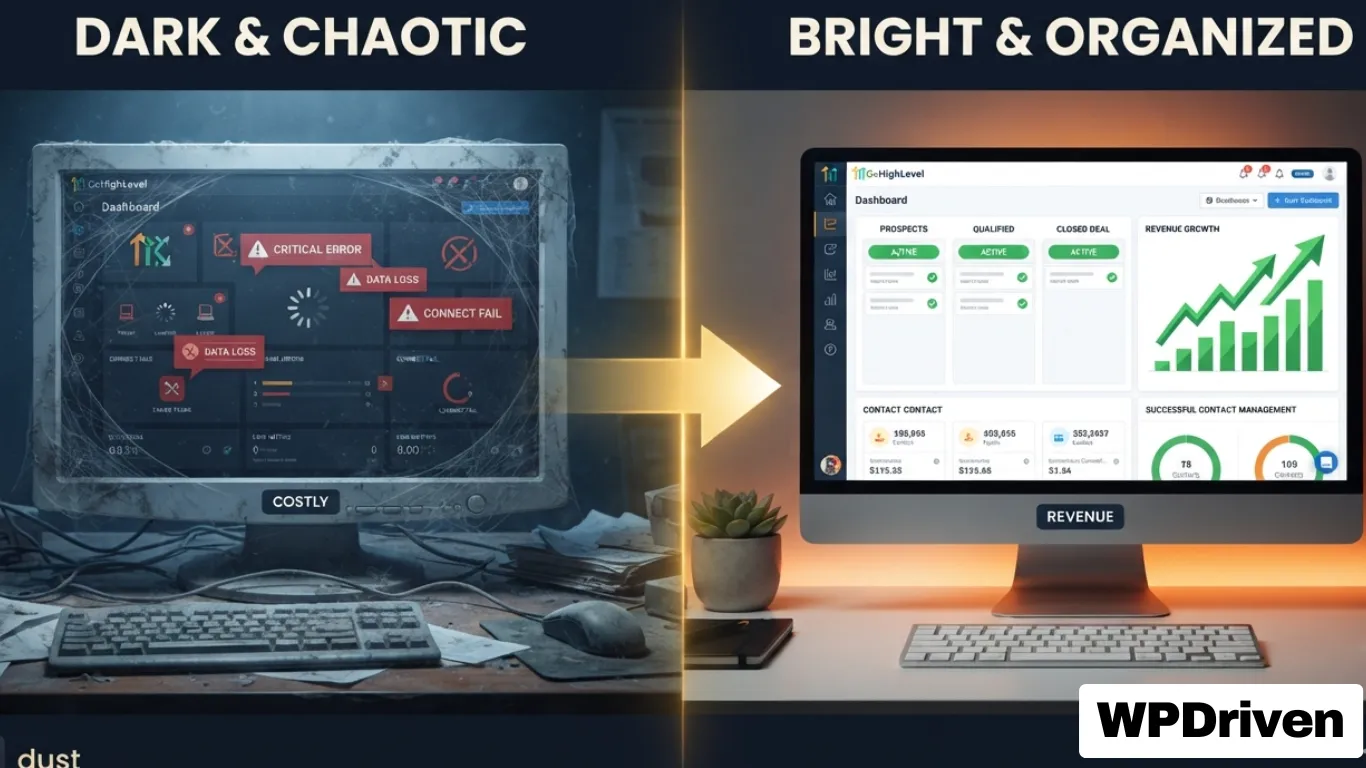
    Quick Answer: Your GoHighLevel account is collecting dust because it was never properly set up for your specific business. Broken automations, misconfigured email settings, and messy pipelines are silently costing you leads and revenue. The fix isn’t more time — it’s a GHL audit and rebuild that turns your CRM into a lead conversion engine.


    The $297/Month Paperweight

    You bought GoHighLevel to save time and close more deals.

    Instead, you’re paying $297+ every month for a system that:

    • Sits untouched in your browser bookmarks
    • Has automations that never fire
    • Contains hundreds of leads you’ve forgotten about
    • Sends emails that go straight to spam

    You’re not alone. Most business owners use less than 10% of GHL’s features. The other 90%? It’s complexity, frustration, and missed opportunities.


    The 5 Signs Your GHL Is Broken

    Sign #1: Leads Are Falling Through the Cracks

    The symptom: You know leads are coming in from your website, Facebook, and calls — but you can’t track them consistently. Some get followed up. Most don’t.

    The cost: Research shows that responding to a lead within 5 minutes makes you 9x more likely to convert them. Every hour you delay costs you deals.

    What broken looks like: Sarah Chen, a Compass agent in Orange County, had 247 untouched leads sitting in her GHL for 18 months. That’s not a CRM — that’s a digital graveyard.

    Sign #2: Your Automations Never Worked

    The symptom: You spent hours building workflows. But they don’t fire consistently. Duplicate messages go out. Or nothing happens at all.

    The cost: Broken automations mean manual follow-up — which means you forget, delay, or miss leads entirely.

    What broken looks like: Marcus Webb, a Phoenix home services business owner, had 12 broken automations he didn’t even know about. His lead response time was days, not minutes.

    Sign #3: Your Emails Go to Spam

    The symptom: You send campaigns. Open rates are 2-5%. You think your content is bad. Actually, your emails aren’t reaching inboxes.

    The cost: Poor deliverability means your messages never get seen. Your carefully crafted campaigns are invisible.

    What broken looks like: SPF, DKIM, and DMARC records are misconfigured or missing. Most GHL users don’t know these even exist — but they’re the difference between inbox and spam folder.

    Sign #4: Your Database Is a Mess

    The symptom: You have hundreds of contacts. No tags. No segments. No idea who’s a buyer, who’s a seller, who’s a past client.

    The cost: You can’t run targeted campaigns. You can’t nurture relationships. Your database is a goldmine you’re ignoring.

    What broken looks like: Dr. Lisa Park, a Chicago dentist, had 200+ leads with zero follow-up. No tags. No sequences. Just names and numbers in a system that never reached out.

    Sign #5: You’ve Given Up

    The symptom: You log into GHL once a month. You stare at the dashboard. You close the tab.

    The cost: You’re paying for a solution you’re not using. Your competitors who have working systems are capturing leads you’re losing.

    What broken looks like: You’re not alone. Most business owners who buy GHL never fully implement it. The complexity wins.


    Why DIY GHL Setup Fails

    ReasonWhy It Fails
    No clear strategyYou build pipelines and automations without a lead flow map. Nothing connects.
    Technical misconfigurationsSPF, DKIM, DMARC, webhooks, and API keys — one wrong setting breaks everything.
    No industry specializationGeneric GHL templates don’t work for real estate, home services, or dental practices.
    Time constraintsYou’re busy running your business. GHL setup takes 20-40 hours you don’t have.
    No ongoing maintenanceAutomations break. Integrations change. Without monitoring, the system decays.

    The Fix — What Actually Works

    Step 1: Get a GHL Audit

    What it is: A comprehensive review of your entire GHL account — pipelines, automations, email settings, integrations, and database.

    What you get:

    • A report showing exactly what’s broken
    • A prioritized fix plan (what to fix first for maximum impact)
    • An estimate of what those broken systems are costing you

    Real example: Marcus Webb’s audit found 12 broken automations and misconfigured email records. His fix plan showed him how to go from 3-day response times to under 60 seconds.

    Your offer: Get a Free GHL Audit →

    Step 2: Rebuild with Purpose

    What it is: A complete system rebuild — not just fixing broken pieces, but building a lead conversion engine tailored to your business.

    What gets rebuilt:

    ComponentWhat We Fix
    PipelinesBuyer, seller, past client — each with clear stages
    AutomationsInstant lead responses, follow-up sequences by lead type
    Email deliverabilitySPF, DKIM, DMARC configured properly
    IntegrationsCalendar, email, and other tools synced correctly
    DashboardReal-time reporting on lead flow and conversion

    Your offer: Done-For-You GHL Setup →

    Step 3: Ongoing Management (Optional)

    What it is: Monthly management of your GHL account — automations monitored, fixes applied, reports delivered.

    What you get:

    • Peace of mind that your system is always working
    • Monthly strategy sessions to improve performance
    • Priority support — no ticket queues

    Real example: Sarah Chen’s Agent OS system is managed month-to-month. She doesn’t touch automations. She just closes deals.

    Your offer: Monthly GHL Concierge →


    Real Results — What a Fixed GHL Looks Like

    MetricBeforeAfter (90 Days)
    Lead response time3+ daysUnder 60 seconds
    Leads followed up consistently~15%100%
    Untouched leads recovered0247 for one client
    Revenue recovered$0$340,000+ for one client

    “I was paying for GHL for 8 months and had zero automations running. WPDriven rebuilt the entire thing in two weeks. I closed two deals in the first month from leads I would have ignored.”
    — Sarah Chen, Compass, Orange County, CA


    Summary: Dust vs. Deals

    If You…Your GHL Is…What You Need
    Never set it up properlyA digital paperweightAudit + Setup
    Set it up but it’s brokenA source of frustrationAudit + Rebuild
    Have it running but no resultsUnderperformingAudit + Strategy
    Want to scale without hiringA missed opportunityAudit + Management

    Your Next Step

    Your GoHighLevel account shouldn’t be collecting dust. It should be collecting leads — and converting them into revenue.

    Option 1: Get a Free GHL Audit
    🔍 Find Your Revenue Leaks →

    Option 2: Done-For-You Setup (Rebuild Your Entire System)
    🛠️ Get a Custom Quote →

    Option 3: For Real Estate Agents — Agent OS (Complete System)
    🏠 See Agent OS →


    Related Posts (Coming Soon)

  • AI Chatbot vs. Live Chat for Small Business: Which Is Better?

    AI Chatbot vs. Live Chat for Small Business: Which Is Better?

    Quick Answer: Neither is universally “better.” AI chatbots are 5–12x cheaper, respond instantly, and work 24/7 — but struggle with complex or emotional issues. Live chat provides empathy and judgment — but costs $35,000–$55,000 annually per agent and can’t scale. Most small businesses are best served by a hybrid approach: chatbot-first for routine queries, human escalation for complex cases.


    Why the “Which Is Better” Question Is Misleading

    Ask customers what they prefer, and the answer seems clear: 64% say they prefer companies don’t use AI in customer service . 93.4% say they prefer humans .

    But watch what they actually do. When both chatbot and live chat are available simultaneously, 67% choose the chatbot .

    The gap exists because abstract preference surveys measure what “sounds reasonable” when customers aren’t facing actual problems. In the moment — checking order status, asking about hours, or getting a quick answer — speed and convenience override abstract preferences .

    The real question for small businesses isn’t “which is better?” It’s “when does each deliver value?”


    Side-by-Side Comparison

    DimensionAI ChatbotLive ChatWinner
    First response time<10 seconds35 sec avg (4+ min with queue)Chatbot 
    Cost per interaction$0.50–$1.00$5–$12Chatbot (5-12x cheaper) 
    24/7 availabilityYesRequires shift rotation (4–5 FTEs)Chatbot 
    Resolution rate50% avg, 70–80% optimized70–79% first-contactLive chat for complex 
    ScalabilityUnlimited concurrentLinear (more agents = more cost)Chatbot 
    Customer satisfaction (CSAT)64.7%64.2%Tied 
    Empathy & judgmentSimulatedGenuineLive chat 

    The economics diverge sharply: A single full-time U.S. agent costs $35,000–$55,000 annually fully loaded, and 24/7 coverage requires 4–5 FTEs per seat for shift rotation . AI chatbot resolutions cost approximately $0.50–$1.00 per interaction .


    When to Use AI Chatbots

    Ideal Scenarios

    ScenarioWhy Chatbot Wins
    Handling repetitive FAQs“Where’s my order?” “What are your hours?” — chatbots handle these instantly 
    After-hours support24/7 coverage without staffing 3 shifts 
    High traffic, low complexityDuring sales surges, chatbots handle thousands of conversations simultaneously 
    Lead generationCollects name, email, and interest before handing off to sales 
    Multiple languagesOne travel company saw a 25% increase in online bookings after implementing a chatbot in 15 languages 

    What Modern AI Chatbots Can Actually Do

    If your last chatbot experience involved typing the same question three times before giving up, you’re not evaluating the right technology. Rule-based systems that earned negative reputations operated on if/then logic and couldn’t handle typos or unexpected phrasing .

    Generative AI chatbots changed what’s possible:

    • Interpret context and maintain conversation history
    • Handle typos and unexpected phrasing naturally
    • Support 85+ languages automatically
    • Take autonomous actions like booking appointments 

    Salesforce’s Agentforce has autonomously resolved 84% of 380,000+ customer interactions, with only 2% requiring human intervention .


    When Live Chat Wins

    Where Humans Still Matter

    ScenarioWhy Live Chat Wins
    Complex problem-solvingBilling disputes, technical troubleshooting 
    Empathy and judgmentSensitive issues like “My order never arrived” or “This is a gift for my grandmother” 
    High-value salesUpselling and cross-selling requires reading between the lines 
    Building relationshipsLuxury brands or professional services where trust is paramount 

    The human advantage: Live chat agents read tone, recognize frustration before it escalates, and provide genuine empathy . Research shows live chat achieves 70–79% first-contact resolution across most issue types, outperforming chatbots for complex problems .

    But there’s a catch: One agent can handle only 4–5 chats simultaneously. During peak times, customers experience wait times averaging 4 minutes 18 seconds, and 27.4% drop out before being served .


    The Decision Framework

    Use these three variables to decide what’s right for your business:

    1. Monthly Inquiry Volume

    VolumeRecommended
    Under 50 inquiriesPart-time live chat may be cheaper
    50–100 inquiriesBreak-even point — either could work
    500+ inquiriesChatbot-first with human escalation 

    2. Query Complexity Mix

    MixRecommended
    70–80% routine (FAQs, order tracking)Chatbot-first
    Complex, customized inquiriesLive chat-first 

    3. Customer Demographics

    DemographicPreference
    Gen Z (18–34)51% use AI weekly, most forgiving of mistakes 
    Boomers (45+)61% won’t retry a failed bot experience 

    The Hybrid Model — Best of Both

    For most small businesses, the highest-performing model isn’t a bot OR a human — it’s a bot-augmented human .

    How it works:

    1. Chatbot greets visitors and handles routine questions
    2. AI detects complex queries, frustration, or explicit requests for a human
    3. Conversation transfers seamlessly to a live agent with full history 

    The results: Harvard Business School research analyzing 256,934 conversations found AI-assisted agents responded 20% faster than unassisted agents, with improved empathy. The effect was strongest for less-experienced agents, providing the equivalent of 1.5 years of additional experience .

    For Real Estate Agents (Your Agent OS Customers)

    Real estate agents have a clear use case for a hybrid system:

    Query TypeWho HandlesExample
    “Is this property available?”AI chatbotInstant 24/7 response
    “Book a tour for 123 Main St”AI chatbotAutomatic calendar booking
    “Why didn’t my offer get accepted?”Human agentRequires context and empathy
    “I want to sell my house — what’s it worth?”Human agentJudgment-based conversation

    This is exactly what Agent OS does: Jane the AI chatbot handles routine inquiries and bookings, while the agent focuses on high-value conversations .


    Real Cost Comparison

    For a Business with 1,000 Queries/Month

    ModelMonthly CostScalability24/7 SupportAvg Response Time
    Basic Chatbot~$99 (fixed)UnlimitedYes<5 seconds 
    GPT/LLM Chat Agent~$1,000 (at $1/query)UnlimitedYes<5 seconds 
    Live Chat (2 agents)$2,400+Limited by headcountRequires extra staffing1–10 minutes 

    Annual savings with hybrid approach: $10,000+ 


    How to Build a Hybrid System

    Step 1: Identify Your Routine Queries

    Write down the 10 most common customer questions. These are your chatbot’s job.

    Step 2: Set Escalation Rules

    TriggerAction
    Customer says “human” or “agent”Escalate immediately
    Query contains “billing,” “dispute,” or “complaint”Flag for human review
    Chatbot can’t find relevant info after 3 attemptsEscalate with conversation history
    Sentiment analysis detects frustrationOffer human option 

    Step 3: Choose Your Implementation

    Option A: Start with AI Chatbot (WPDriven)

    • $299 one-time setup + $5–20/month API fees
    • Build in 5 days. Unlimited revisions.
    • Add human escalation later 

    Option B: Full Agent OS System (Real Estate)

    • Complete CRM + AI chatbot + voice agent + social automation
    • Escalation rules built in

    Option C: Custom Hybrid

    • Let WPDriven build the exact system your business needs 

    FAQ

    Are customers really okay with chatbots?

    Yes — when both options are available, 67% choose the chatbot. Speed and convenience win .

    Will a chatbot hurt my customer satisfaction?

    Well-built chatbots achieve a CSAT of 64.7%, essentially matching human agents at 64.2% .

    What if my chatbot can’t answer a question?

    That’s why escalation exists. A well-built hybrid system transfers to a human with full conversation history .

    Do I need to be technical to set this up?

    No. WPDriven builds and trains everything. You just provide your FAQs .


    Your Next Step

    You now know the strengths and weaknesses of AI chatbots and live chat.

    If you’re ready to start with a custom AI chatbot that handles 50–80% of your routine queries:

    ➡️ Get a Custom AI Chatbot Built in 5 Days – $299 →

    If you’re a real estate agent needing a complete system (chatbot + CRM + voice agent):

    🏠 See Agent OS for Real Estate →

    If you’re unsure which approach fits your business:

    📞 Free Consultation – We’ll Help You Decide →


    Related Posts

  • Why Most DIY Chatbots Fail (And What to Do Instead)

    Why Most DIY Chatbots Fail (And What to Do Instead)

    Quick Answer: Why Most DIY chatbots fail because they’re built on rigid “if-then” logic that breaks the moment a customer asks an unexpected question. They can’t handle typos, don’t remember context, and require constant manual updates. A custom AI chatbot powered by ChatGPT, Claude, or Gemini solves all of these problems — without the headaches.


    The Promise vs. The Reality

    The promise of DIY chatbots: “Build your own chatbot in minutes. No coding required. Save thousands.”

    The reality: You spend 20 hours building flows, testing scripts, and fixing broken responses. Two weeks later, a customer asks something slightly different, and the chatbot replies: “I’m sorry, I didn’t understand that.”

    Sound familiar?

    You’re not alone. Most DIY chatbots fail within the first 30 days — not because chatbots don’t work, but because rules-based systems can’t handle real conversations.


    The 5 Reasons DIY Chatbots Fail

    Failure #1: Rigid “If-This-Then-That” Logic

    Most DIY chatbots (ManyChat, Chatfuel, MobileMonkey) use decision trees. You write a question, then script every possible answer.

    What the customer typesWhat the chatbot hears
    “What are your hours?”Trigger → “Hours” response
    “When are you open?”❌ No match → “I don’t understand”
    “What time do you close?”❌ No match → “I don’t understand”
    “Are you open on Sundays?”❌ No match → “I don’t understand”

    The problem: Customers don’t all ask the same way. A DIY chatbot breaks the moment someone rephrases a question.

    Real example: A restaurant chatbot trained to respond to “What are your hours?” failed when a customer asked “When do you open for dinner?” The chatbot replied: “I’m sorry, I don’t understand that question.”

    Failure #2: No Context Memory

    DIY chatbots treat every message as a brand new conversation.

    Example conversation:

    Customer: “Do you offer gluten-free pizza?”
    Chatbot: “Yes, we have a gluten-free crust option.”
    Customer: “How much is it?”
    Chatbot: “I’m sorry, I don’t understand. Please rephrase your question.”

    Why it failed: The chatbot forgot the customer was asking about gluten-free pizza. It saw “How much is it?” as a new, standalone question.

    Impact: Customers get frustrated and leave. One study found that 65% of users abandon a chatbot that fails to remember context within 3 exchanges.

    Failure #3: Can’t Handle Typos or Natural Language

    Real customers don’t type perfectly.

    What customers actually typeDIY chatbot response
    “wat r ur hours”❌ “I don’t understand”
    “do yous serve my area?”❌ “I don’t understand”
    “how mutch 4 a website?”❌ “I don’t understand”

    The problem: DIY chatbots match exact keywords. If you wrote “hours” but the customer typed “hour”, “hrs”, or “opening time” — no match.

    AI-powered chatbots (like WPDriven’s) understand intent, not just keywords. They handle typos, slang, and varied phrasing naturally.

    Failure #4: No Learning or Improvement

    DIY chatbots don’t get better over time.

    You build it. You launch it. It stays exactly the same — unless you manually update every flow.

    Real example: A real estate agent’s DIY chatbot answered “What’s the price of 123 Main St?” perfectly. But when a customer asked “How much is the blue house on Main?” — nothing. The chatbot had no way to learn that “blue house” meant the same property.

    AI-powered chatbots can be retrained on new data. You add new FAQs, and the AI adapts without rebuilding flows.

    Failure #5: Hidden Maintenance Costs (Your Time)

    The “free” or “cheap” DIY chatbot costs you in time.

    TaskDIY TimeDone-for-You (WPDriven)
    Initial setup10-30 hours0 hours (we build it)
    Testing & debugging5-15 hours0 hours
    Updating responses1-2 hours/week0 hours (optional $49/mo)
    Fixing broken flows2-5 hours/month0 hours
    Total first year200-500 hours1-2 hours (providing content)

    If your time is worth $50/hour, a “free” DIY chatbot costs you $10,000–$25,000 in lost time.


    What Works Instead — Custom AI Chatbots

    A custom AI chatbot (like the ones WPDriven builds) solves every problem above.

    FeatureDIY ChatbotAI Chatbot (WPDriven)
    Understands natural language❌ (exact keywords only)
    Handles typos and slang
    Remembers conversation context
    Learns and improves over time❌ (manual updates only)✅ (retrain with new data)
    Works 24/7
    Books appointments automatically🟡 (requires complex flows)✅ (native)
    Captures leads automatically🟡 (basic)✅ (advanced qualification)
    Your time required200-500 hours/year1-2 hours (setup) + 0-1 hour/month
    Monthly cost$15–$100 + your time$5–$20 (API fees)

    Real Example — A Plumbing Company’s DIY Failure

    The setup: A plumbing company spent 25 hours building a DIY chatbot on ManyChat. They programmed responses for “emergency plumbing,” “leaky faucet,” “water heater,” and “service area.”

    The failure (first week):

    Customer: “My basement is flooding. Need help now.”
    Chatbot: “I’m sorry, I don’t understand ‘basement flooding.’ Please type ’emergency plumbing’ or ‘leaky faucet.’”

    The customer left. They called a competitor who answered the phone.

    What went wrong: The chatbot was trained on keywords, not intent. “Basement flooding” wasn’t in the exact list of triggers.

    The fix: WPDriven built them an AI chatbot trained on natural language. Now when a customer types “My basement is flooding,” the AI understands “emergency” + “water” + “urgent” and responds appropriately — even if the exact phrasing isn’t in the training data.

    Result: 18 after-hours leads captured in the first month. 3 converted to $500+ jobs.


    The 3 Types of DIY Builders (And Which One You Are)

    Type 1: The Tinkerer

    You enjoy learning new tools. You have 20+ hours to spare. You don’t mind debugging.

    Verdict: DIY might work for you — if you have patience and low stakes.

    Warning: Your time isn’t free. Those 200 hours could have been spent growing your business.

    Type 2: The Business Owner (Most Common)

    You don’t care about chatbots. You care about not losing leads. You want it to work without your involvement.

    Verdict: Done-for-you AI chatbot is the right choice. You provide content. We build it in 5 days.

    Type 3: The “I’ll Get to It Later”

    You bought a DIY subscription 6 months ago. You never built the chatbot. You’re still paying monthly.

    Verdict: Cancel the subscription. Let WPDriven build it for you. You’ll launch in 5 days, not 6 months.


    How to Do It Right (Without DIY Headaches)

    Step 1: Stop Building. Start Providing.

    Instead of learning flowchart software, write down:

    • Your top 10 customer questions
    • Your answers to those questions
    • Your booking link or phone number
    • Any rules (service area, minimum job size, etc.)

    That’s it. That’s all you need.

    Step 2: Let AI Handle the Rest

    A custom AI chatbot:

    • Reads your FAQs once
    • Understands natural language variations
    • Remembers what the customer said
    • Books appointments automatically
    • Escalates to you when needed

    Step 3: Launch in 5 Days

    WPDriven builds your custom AI chatbot in 5 days. Unlimited revisions. One-time fee of $299 plus API usage ($5–20/month).

    No monthly platform fees. No hidden costs. No time wasted.


    DIY vs. Done-for-You

    FactorDIY ChatbotWPDriven AI Chatbot
    Your time investment200-500 hours/year1-2 hours (total)
    First-year cost$15–100/mo + your time ($10k-25k)$299 one-time + $5-20/mo API
    Understands natural language
    Handles typos
    Remembers context
    Books appointmentsComplexNative
    Launch timeline4-12 weeks (or never)5 days
    Frustration levelHighNone

    FAQ

    Can’t I just use ChatGPT for free on my website?

    Not directly. ChatGPT doesn’t know your business hours, prices, or booking links. You’d need to build a custom integration — which is what WPDriven does for you.

    What if I already built a DIY chatbot and it’s failing?

    We can audit your current chatbot, identify the broken flows, and rebuild it as an AI-powered system. Most clients see results within a week.

    How much does a custom AI chatbot cost?

    $299 one-time setup + API fees ($5–20/month). No monthly platform fees. Cancel anytime.

    Do I need to be technical?

    No. You provide content. We build everything.

    Can I add more features later?

    Yes. Start with a chatbot, then add lead generation AI, social media automation, or a full CRM system (Agent OS for real estate).


    Your Next Step

    You’ve seen why DIY chatbots fail. You’ve seen what works instead.

    If you’re tired of:

    • Building flows that break
    • Wasting hours on debugging
    • Losing leads to “I don’t understand” responses

    Here’s what to do:

    Option 1: Get a Custom AI Chatbot Built in 5 Days
    ➡️ $299 One-Time →

    Option 2: Free Consultation — No Obligation
    📞 Let’s Talk About Your Business →

    Option 3: For Real Estate Agents — Get the Full System (Agent OS)
    🏠 See Agent OS →


    Related Posts

  • Which Is Best Ai for Small Businesses? (ChatGPT vs Claude vs Gemini)

    Which Is Best Ai for Small Businesses? (ChatGPT vs Claude vs Gemini)

    Quick Answer: For most small businesses, ChatGPT (OpenAI) is the best starting point — it’s the most versatile, has the largest ecosystem, and works well for customer support, content creation, and lead qualification. Claude (Anthropic) is better for long documents and analysis. Gemini (Google) excels at search and YouTube data. But the real answer depends on how you plan to use AI.


    Why This Comparison Matters for Your Business

    You’ve heard about ChatGPT, Claude, and Gemini. But which one should you actually use for your business?

    The wrong choice means:

    • Paying for features you don’t need
    • Frustration with limitations
    • Wasting time on manual work AI could handle

    The right choice means:

    • Automating repetitive tasks faster
    • Happier customers (and team members)
    • A clear path to scaling without hiring more people

    This guide breaks down each AI model by what it’s actually good at — no hype, no jargon.


    The Quick Comparison Table

    ChatGPT vs Claude vs Gemini

    FeatureChatGPT (OpenAI)Claude (Anthropic)Gemini (Google)
    Best forAll-around business tasks, customer support, contentLong documents, analysis, legal/contract reviewSearch, YouTube data, Google Workspace integration
    Context window128K tokens (~300 pages)200K tokens (~500 pages)1M tokens (~2,500 pages)
    File uploadsYes (images, PDFs, Office docs)Yes (PDFs, text files)Yes (Google Drive, YouTube, images)
    Internet accessYes (ChatGPT Plus)LimitedYes (native)
    Pricing (business)$20-60/user/month$20-40/user/month$20-36/user/month
    API cost (per 1M tokens)$2.50 input / $10 output$3 input / $15 output$1.25 input / $5 output
    Best for small business✅ Excellent🟡 Good for specific use cases🟡 Good for Google-centric businesses

    ChatGPT – The All-Rounder (Best for Most Small Businesses)

    What it’s good at:

    • Answering customer questions naturally
    • Writing blog posts, emails, and social media captions
    • Qualifying leads and booking appointments
    • Handling multiple conversation types in one system

    What it’s not good at:

    • Very long documents (over 300 pages)
    • Niche technical analysis
    • Real-time search (requires Plus subscription)

    Best for:

    • Service businesses (plumbers, electricians, coaches)
    • E-commerce stores
    • Any business that needs a conversational AI chatbot

    Real example: A plumbing company uses ChatGPT to answer after-hours emergency questions. The AI knows their service area, pricing, and availability. It captures lead info and books calls automatically.

    WPDriven approach: We build custom AI chatbots powered by ChatGPT (or your choice of model) trained on your specific business data.


    Claude – The Analyst (Best for Document-Heavy Businesses)

    What it’s good at:

    • Reading and summarizing long documents (500+ pages)
    • Legal document review
    • Financial analysis
    • Detailed reporting

    What it’s not good at:

    • Real-time conversation (slightly slower)
    • Integrating with third-party tools (fewer native integrations)

    Best for:

    • Law firms
    • Accounting practices
    • Insurance agencies
    • Any business that works with long contracts or reports

    Real example: A small law firm uses Claude to review lease agreements. The AI highlights unusual clauses, missing information, and potential risks. Lawyers then review only the flagged sections.

    WPDriven approach: We can build AI agents using Claude for document-heavy workflows while still using ChatGPT for customer-facing conversations.


    Gemini – The Searcher (Best for Google-Centric Businesses)

    What it’s good at:

    • Pulling live data from Google Search and YouTube
    • Analyzing Google Drive files (Docs, Sheets, Slides)
    • Real-time information
    • Very long context (2,500+ pages)

    What it’s not good at:

    • Creative writing (less natural than ChatGPT)
    • Complex conversation flows
    • Third-party integrations (fewer than OpenAI)

    Best for:

    • Businesses already deep in Google Workspace
    • Content creators using YouTube data
    • Research-heavy businesses
    • SEO and content strategy (real-time search data)

    Real example: A digital marketing agency uses Gemini to analyze YouTube comments on competitor videos. It identifies common customer questions, then creates blog posts answering those questions.

    WPDriven approach: We can integrate Gemini into your existing Google Workspace setup while using other models for customer-facing AI.


    Side-by-Side – Which One Does Your Business Need?

    Answer these three questions:

    Question 1: What’s your main AI use case?

    If you answered…Best model
    Customer support / lead captureChatGPT
    Long document analysisClaude
    Real-time search / Google dataGemini
    Multiple use casesChatGPT (versatile)

    Question 2: What tools do you already use?

    If you already use…Best model
    Microsoft Office / general business appsChatGPT
    Google Workspace (Drive, Gmail, Sheets)Gemini
    No preference / mixChatGPT

    Question 3: What’s your budget?

    If your monthly AI budget is…Best model
    Under $50ChatGPT (API pay-as-you-go)
    $50-200Any – compare features
    Not a concernClaude (highest quality for analysis)

    The Hidden Truth – You Don’t Have to Choose One

    Most small businesses don’t realize: you can use multiple AI models for different tasks.

    TaskBest Model
    Customer chatbot (website, WhatsApp)ChatGPT
    Contract review (legal, terms of service)Claude
    SEO research (real-time search data)Gemini
    Social media caption writingChatGPT
    YouTube comment analysisGemini
    Financial report summarizationClaude

    WPDriven’s approach: We build your AI system using the best model for each job — all in one unified dashboard.


    Cost Comparison (Real Numbers)

    API Costs (Pay-as-you-go)

    ModelInput cost (per 1M tokens)Output cost (per 1M tokens)
    ChatGPT (GPT-4 Turbo)$2.50$10.00
    Claude (3 Haiku)$0.25$1.25
    Claude (3 Sonnet)$3.00$15.00
    Gemini (1.5 Flash)$1.25$5.00

    For a typical small business:

    • 5,000 customer conversations/month
    • Average 500 tokens per conversation = 2.5M tokens
    • Typical monthly API cost: $5-20

    Subscription Costs (Per user/month)

    ModelMonthly costIncludes
    ChatGPT Plus$20Internet browsing, file uploads, advanced features
    ChatGPT Team$25-30Higher limits, team management
    Claude Pro$20Priority access, longer conversations
    Claude Team$40Higher limits, admin controls
    Gemini Business$20Workspace integration, 1M context
    Gemini Enterprise$36Advanced features, data protection

    Real Business Examples by Industry

    Home Services (Plumbing, Electrical, HVAC)

    NeedBest Model
    Answer “Do you serve my area?”ChatGPT
    Book emergency appointmentsChatGPT
    Send follow-up textsChatGPT

    Winner: ChatGPT – best for conversational customer support.

    Law Firms & Legal Services

    NeedBest Model
    Review contracts and agreementsClaude
    Summarize case filesClaude
    Client intake (initial questions)ChatGPT

    Winner: Claude for document work, ChatGPT for client conversations

    E-commerce Stores

    NeedBest Model
    Answer product questionsChatGPT
    Process returnsChatGPT
    Track ordersGemini (real-time data)

    Winner: ChatGPT + Gemini integration

    Real Estate Agents

    NeedBest Model
    Answer listing questionsChatGPT
    Qualify buyer leadsChatGPT
    Analyze market dataGemini (real-time search)

    Winner: ChatGPT for customer-facing, Gemini for research

    Marketing Agencies

    NeedBest Model
    Write blog postsChatGPT
    Analyze YouTube commentsGemini
    Create ad copyChatGPT

    Winner: Both – ChatGPT for creation, Gemini for analysis


    Which One Should You Choose?

    If you are…Start with…
    A service business (plumbing, coaching, salon)ChatGPT
    A law firm or accounting practiceClaude
    Heavy Google Workspace userGemini
    An e-commerce storeChatGPT + Gemini for tracking
    A real estate agentChatGPT
    A marketing agencyBoth ChatGPT + Gemini
    Unsure / want flexibilityChatGPT (most versatile)

    FAQ

    Can I switch models later?

    Yes. WPDriven builds your AI system to be model-agnostic. Start with ChatGPT, switch to Claude or Gemini later without rebuilding everything.

    Which model is cheapest for a small business?

    For API usage, Claude Haiku and Gemini Flash are cheapest (~$1-2 per million tokens). But the difference is small — typical small businesses spend $5-20/month regardless of model.

    Do I need a subscription or API?

    Depends on use case. For a chatbot on your website, API (pay-as-you-go) is better. For internal team use, subscription may be simpler.

    Can WPDriven build AI using any model?

    Yes. We support ChatGPT, Claude, Gemini, Llama, and most major AI models. You choose what works best for your business.


    Your Next Step

    You now know the strengths of each AI model. But knowing isn’t enough — implementation matters.

    If you’re ready to stop comparing and start using AI that actually works for your business:

    Option 1: Start with a Custom AI Chatbot (ChatGPT)
    ➡️ Built in 5 Days – $299 →

    Option 2: Get a Complete System (Agent OS for Real Estate)
    🏠 See Agent OS →

    Option 3: Free Consultation – Which Model Is Right for You?
    📞 Let’s Talk →


    Related Posts

Does your business have a physical address?
How many new customers can your business take on each month?
What's your annual revenue?
⚠️ Answer honestly so we can help you best ⚠️
How much capital do you have available to use for growing your business?
Boost your landscaping leads.
Share your name, phone number, and project details so we can set up your automated appointment system.
Confirm & Secure
Agree to our data policy to finish your submission.
Let’s Get You Started
Tell us your current platform or website so we can begin setting up your maintenance and update plan.
Ready to keep your app or website running smoothly?
Share your name, phone number, and platform details so we can tailor the perfect maintenance and update plan for you.
Confirm & Secure
Agree to our data policy to finish your submission.
Ready to automate your bookings?
Tell us your current business name and choose your business services to get started.
Ready to boost your bookings?
Share your name, phone number, and calendar details so we can set up your automated appointment system.
Confirm & Secure
Agree to our data policy to finish your submission.
Ready to explore your app vision?
Share your name and email so WPDriven can craft a personalized app concept just for you.
Tell us about your app idea!
Share a few details about your concept or the type of app you want — so we can shape your custom demo perfectly.
Get Started Today
Experience Smart AI Solutions Instantly!
About You
Share a few details about yourself to help us tailor your experience.
man is holding microphone other hand is pointing globe 479259 12580

Unleash WPDriven

Transform your workflow with cutting-edge AI automation.

Ready to grow your business online?
Tell us your platform now
Ready to grow your business online?
Share your name and chosen plan so we can tailor the perfect digital marketing strategy for you.
Ready to see your free website demo?
Share your name and email so we can craft a demo just for you.
Tell us about your website!
Share a few details about your website or the type you want — so we can tailor your demo perfectly.
Ready to see your free website demo?
Share your name and email so we can craft a demo just for you.
Tell us about your website!
Share a few details about your website or the type you want — so we can tailor your demo perfectly.
Ready to see your free website demo?
Share your name and email so we can craft a demo just for you.
Tell us about your website!
Share a few details about your website or the type you want — so we can tailor your demo perfectly.
Reason for Contact
This helps us understand why you’re reaching out.
Let’s Get to Know You at WPDriven!
Share a few details about yourself so we can better assist you.
What brings you here?
What type of Free Demo we can create for you?
Welcome to WPDriven!
Tell us about yourself.
Almost Done!
view new york city sunset

Step into WPDRIVEN
Join today and unlock limitless possibilities with our free demos.