Author: WPDriven

  • How to Build a 12-Touch Automated Follow-Up System That Actually Converts

    How to Build a 12-Touch Automated Follow-Up System That Actually Converts

    Quick Answer: A 12-touch automated follow-up system is a sequence of emails, texts, and voice calls that nurtures leads over 12 months. It’s designed to re-engage unresponsive leads without being annoying. 80% of leads need 5-7 touches before converting—most businesses give up after 1-2.


    The Problem: You’re Giving Up Too Soon

    You get a lead. You send one email. Maybe a text. No response. You move on.

    You’re not alone. Most businesses follow up 1-2 times and then give up. But research shows that 80% of leads need 5-7 touches before they convert. The businesses that close the most deals are the ones that follow up consistently—without being annoying.

    The result: You’re leaving money on the table. Leads that could have converted are sitting in your CRM, forgotten.

    “I had 200+ leads sitting in my database with zero follow-up. WPDriven built a 12-touch nurture sequence. Within 60 days, three of those leads converted into paying clients.”
    — Dr. Lisa Park, Dental Practice Owner, Chicago


    The 12-Touch Framework: What It Is and Why It Works

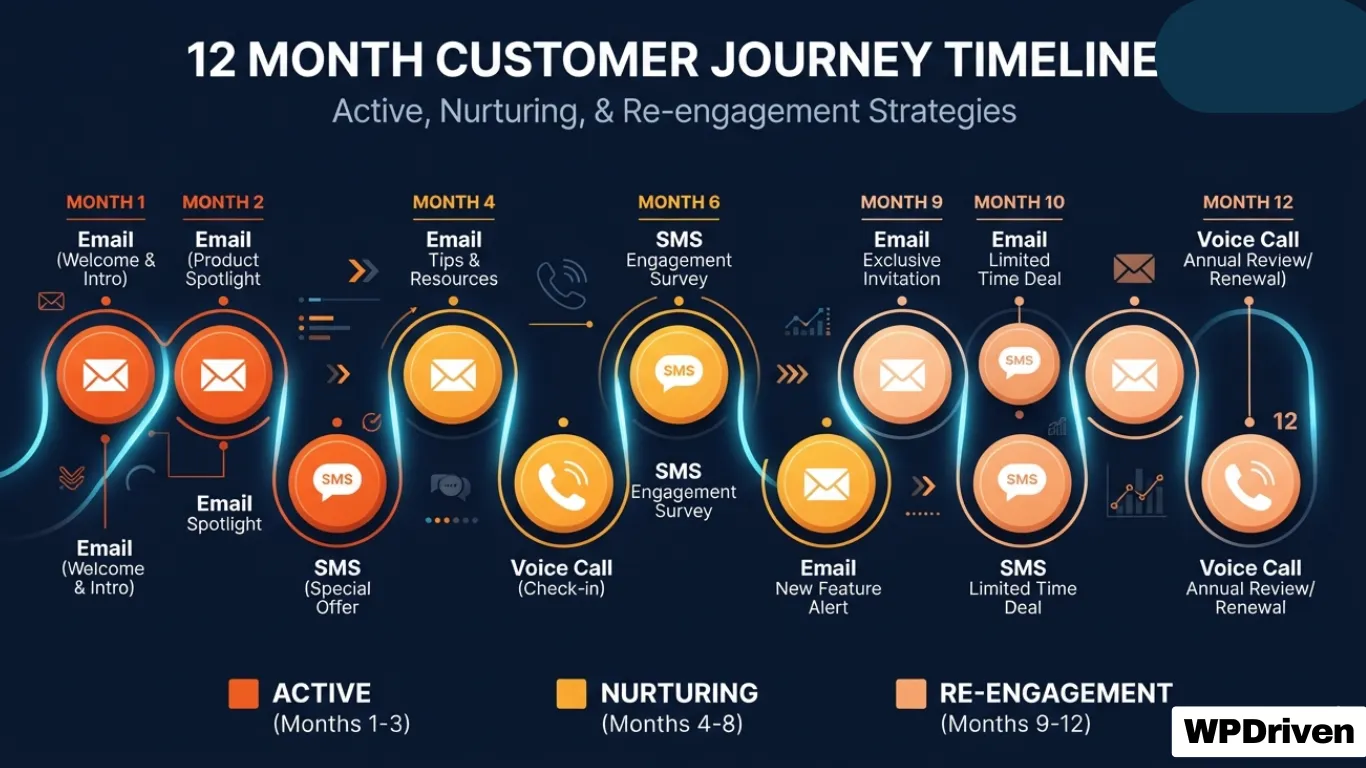
    A 12-touch follow-up system is a structured sequence of communications over 12 months. It’s designed to:

    • Keep your business top-of-mind without being pushy
    • Provide value at each touchpoint
    • Re-engage leads who weren’t ready to buy initially
    • Build trust over time

    The Psychology: Most people aren’t ready to buy when they first inquire. They’re researching, comparing, or waiting for the right moment. A 12-touch system ensures you’re still there when they’re ready.


    The 12-Month Sequence Breakdown

    Months 1-3: Active Engagement (High Frequency)

    TouchChannelMessage TypePurpose
    1EmailWelcome / Thank youAcknowledge their inquiry, set expectations
    2SMSQuick follow-up“Just checking in—did you have any questions?”
    3EmailEducational contentShare a helpful resource (blog, video, guide)
    4VoiceVoicemail drop“Hi, just following up to see if you need help.”
    5SMSGentle reminder“Still interested? I’d love to help.”
    6EmailSocial proofShare a case study or testimonial

    Goal: Establish trust, provide value, and stay top-of-mind.

    Months 4-6: Nurturing (Moderate Frequency)

    TouchChannelMessage TypePurpose
    7EmailIndustry insightShare a relevant trend or update
    8SMSCheck-in“How’s everything going? Any questions?”
    9EmailSpecial offerLimited-time incentive (e.g., free consultation)

    Goal: Re-engage leads who are still on the fence.

    Months 7-12: Reactivation (Low Frequency)

    TouchChannelMessage TypePurpose
    10EmailCase studyShow real results from a similar client
    11SMSFinal check-in“Just one last follow-up. Still interested?”
    12EmailReactivation offer“We’ve missed you. Here’s a special offer.”

    Goal: Recover leads who have gone cold.


    Channel Strategy: Email vs. SMS vs. Voice

    ChannelBest ForFrequencyResponse Rate
    EmailEducational content, social proof, offersWeekly2-5%
    SMSQuick check-ins, reminders, urgent offersBi-weekly20-35%
    Voice (Voicemail)Personal touch, relationship buildingMonthly10-20%

    Pro Tip: A multi-channel approach triples your response rate compared to email alone. Some people respond to texts. Others prefer a personal voicemail. Use all three.


    Message Templates for Each Touch

    Touch 1: Welcome Email

    Subject: Thanks for reaching out!

    Body:

    Hi [Name],

    Thanks for your interest in [your service]. I wanted to personally welcome you and let you know I’m here to help.

    In the meantime, here’s a resource that might be useful:
    [Link to relevant blog post or guide]

    If you have any questions, just reply to this email. I’m happy to help.

    Best,
    [Your Name]


    Touch 2: SMS Follow-Up

    Hi [Name], it’s [Your Name] from [Your Business]. Just checking in—did you have any questions about [service]? Reply anytime.


    Touch 5: SMS Reminder

    Hi [Name], still interested in [service]? I’d love to help. Just reply YES and I’ll reach out. No pressure.


    Touch 8: SMS Check-In

    Hi [Name], hope you’re doing well. Just checking in—any updates on [their situation]? I’m here if you need anything.


    Real Results: What This System Looks Like in Action

    ClientIndustrySystemResults
    Sarah ChenReal EstateAgent OS (12-touch nurture)247 untouched leads → 2 deals closed in first 90 days
    Dr. Lisa ParkDental Practice12-touch email/SMS200+ leads → 3 converted in 60 days
    Marcus WebbHome ServicesGHL Rescue + Nurture12 broken automations fixed → lead response time from days to 60 seconds

    DIY vs. Done-for-You: Which Is Right for You?

    FactorDIYAgent OS (Done-for-You)
    Time investment20-40 hours to build1-2 hours (providing content)
    Technical skills requiredHighNone
    Testing and debugging2-4 weeksIncluded in setup
    Ongoing managementYour responsibilityOptional monthly management
    Unlimited revisionsNoYes
    Launch time4-12 weeks5-10 days

    Summary

    If You Want To…You Need…
    Follow up consistently for 12 monthsA 12-touch automated sequence
    Use multiple channelsEmail + SMS + voice integration
    Save timeDone-for-you automation
    Recover dead leadsA nurture sequence that persists

    Your Next Step

    Stop losing leads because you stopped following up. A 12-touch automated system ensures you’re always there when they’re ready.

    Option 1: Get Agent OS (Complete System)
    ➡️ See Agent OS in Action →

    Option 2: Start with the 12-Touch Nurture Sequence
    📞 Book a Strategy Call →

    Option 3: Download the 12-Touch Sequence Blueprint (Free PDF)
    📥 Get the Template →

    Related Posts

  • Why Your CRM is Just a Database (And How to Turn It Into a Revenue Engine)

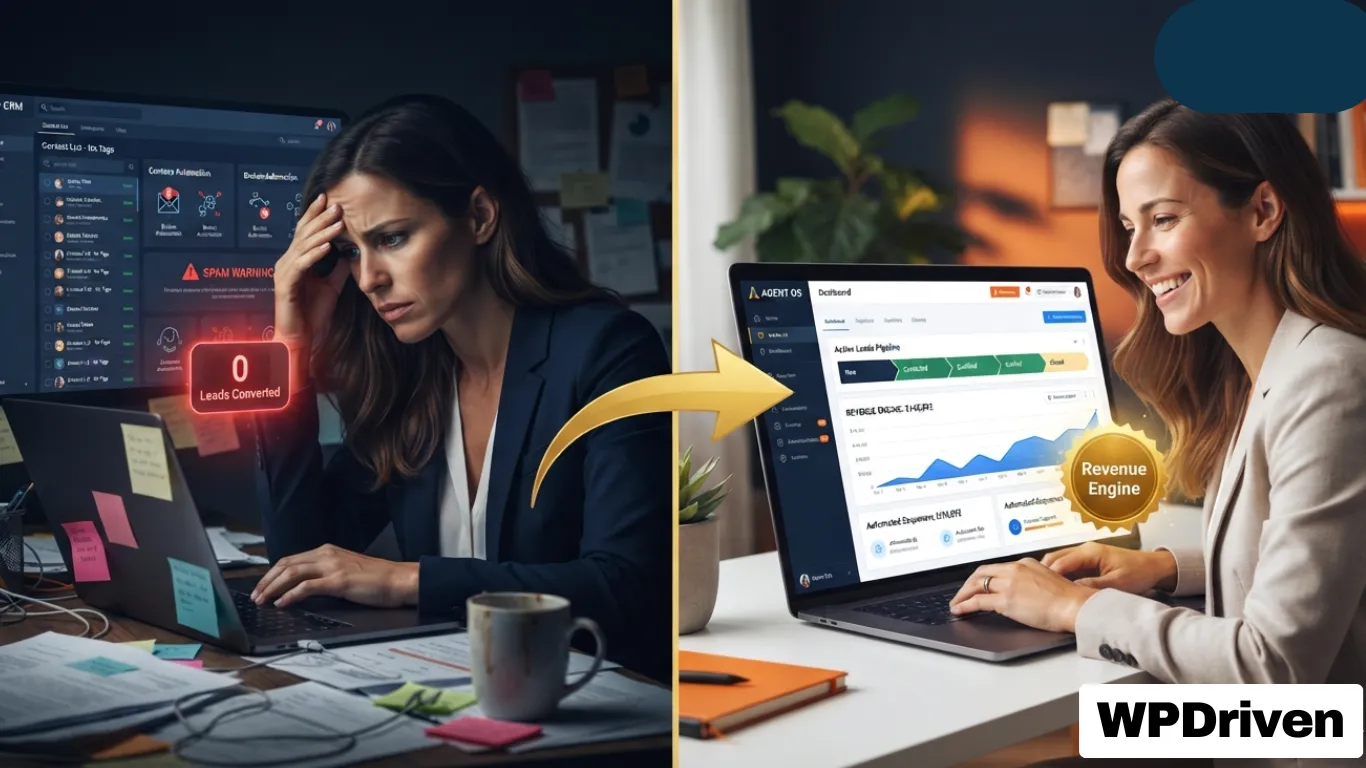
    Why Your CRM is Just a Database (And How to Turn It Into a Revenue Engine)

    Quick Answer: Most CRMs are used as expensive digital filing cabinets—storing contacts but never actively engaging them. A revenue engine CRM uses AI-powered automations, lead scoring, and multi-channel follow-up to turn passive data into active revenue. Agent OS transforms your CRM from a database into a 24/7 lead conversion system.


    The $297/Month Paperweight

    You bought a CRM to close more deals.

    Instead, you’re paying monthly for a system that:

    • Sits untouched in your browser bookmarks
    • Contains hundreds of leads you’ve forgotten about
    • Has automations that never fire
    • Sends emails that go straight to spam

    You’re not alone. Most businesses use less than 10% of their CRM’s features. The other 90%? Complexity, frustration, and missed opportunities.

    “We had GPS data in one system, engine diagnostics in another, and maintenance in a spreadsheet. Our dispatchers couldn’t make fast decisions.”
    — Fleet Operations Director, Logistics Client

    This isn’t just a small business problem. Enterprises face the same fragmentation. Data sits in silos, actions cannot be traced, and leaders hesitate to let AI drive decisions because there is no unified control.


    The 5 Signs Your CRM is Just a Database

    Sign #1: Leads Are Falling Through the Cracks

    The symptom: You know leads are coming in from your website, Facebook, and calls—but you can’t track them consistently. Some get followed up. Most don’t.

    The cost: Research shows that responding to a lead within 5 minutes makes you 9x more likely to convert them. Every hour you delay costs you deals.

    Real example: Sarah Chen, a real estate agent, had 247 untouched leads sitting in her CRM for 18 months. That’s not a CRM—that’s a digital graveyard.

    Sign #2: Your Automations Never Worked

    The symptom: You spent hours building workflows. But they don’t fire consistently. Duplicate messages go out. Or nothing happens at all.

    The cost: Broken automations mean manual follow-up—which means you forget, delay, or miss leads entirely.

    Real example: A Phoenix home services business owner had 12 broken automations he didn’t even know about. His lead response time was days, not minutes.

    Sign #3: Your Emails Go to Spam

    The symptom: You send campaigns. Open rates are 2-5%. You think your content is bad. Actually, your emails aren’t reaching inboxes.

    The cost: Poor deliverability means your messages never get seen. Your carefully crafted campaigns are invisible.

    What’s broken: SPF, DKIM, and DMARC records are misconfigured or missing. Most CRM users don’t know these even exist—but they’re the difference between inbox and spam folder.

    Sign #4: Your Database Is a Mess

    The symptom: You have hundreds of contacts. No tags. No segments. No idea who’s a buyer, who’s a seller, who’s a past client.

    The cost: You can’t run targeted campaigns. You can’t nurture relationships. Your database is a goldmine you’re ignoring.

    Real example: A Chicago dentist had 200+ leads with zero follow-up. No tags. No sequences. Just names and numbers in a system that never reached out.

    Sign #5: You’ve Given Up

    The symptom: You log into your CRM once a month. You stare at the dashboard. You close the tab.

    The cost: You’re paying for a solution you’re not using. Your competitors who have working systems are capturing leads you’re losing.


    The Solution: From Database to Revenue Engine

    A revenue engine CRM does four things a passive database doesn’t:

    1. Automates Lead Capture and Qualification

    Database (Passive)Revenue Engine (Active)
    Leads sit until you remember to follow upLeads are qualified automatically based on behavior, source, and intent
    No scoring or prioritizationHot leads go to the top of the list; cold leads go to nurture
    Manual data entryAI captures and enriches data automatically

    Revenue Engine in Action: Jane, the AI chatbot, qualifies leads before they even reach your CRM. It asks the right questions, books appointments, and sends ready leads directly to your inbox.

    2. Enables Multi-Channel Follow-Up

    Database (Passive)Revenue Engine (Active)
    Single channel (usually email)Email, SMS, voice, and social—all in one sequence
    Manual follow-upAutomated, scheduled, and personalized
    No consistencyEvery lead gets the same high-quality experience

    Revenue Engine in Action: Agent OS uses a 12-touch nurture sequence that follows up across email, SMS, and voice calls—automatically, for 12 months.

    3. Provides Real-Time Analytics and Insights

    Database (Passive)Revenue Engine (Active)
    Basic reporting (if any)Advanced analytics showing lead velocity, conversion rates, and pipeline health
    Historical data onlyReal-time data and predictive insights
    No visibility into bottlenecksClear visibility into where leads get stuck

    4. Scales Without Adding Headcount

    Database (Passive)Revenue Engine (Active)
    More leads = more workMore leads = more revenue
    Hiring required to scaleAI handles the volume
    Human bottlenecksAutomated workflows

    Real Results: What a Revenue Engine Looks Like

    MetricBefore (Database)After (Revenue Engine)
    Lead response time3+ daysUnder 60 seconds
    Leads followed up consistently~15%100%
    Untouched leads recovered0247 for one client
    Revenue recovered$0$340,000+ for one client

    “I had 200+ leads sitting in my database with zero follow-up. WPDriven built a 12-touch nurture sequence. Within 60 days, three of those leads converted into paying clients.”
    — Dr. Lisa Park, Dental Practice Owner, Chicago


    How Agent OS Turns Your CRM Into a Revenue Engine

    Agent OS is a complete system that transforms your CRM from a passive database into an active revenue engine.

    ComponentHow It Creates Revenue
    Unified CRMEvery lead in one place, auto-labeled by source and type. No more fragmented data.
    Jane AI ChatbotQualifies leads 24/7 and books appointments automatically. Converts traffic into conversations.
    Voice AgentTakes calls when you can’t—never miss a lead again.
    Smart AutomationsFollows up, schedules, and nurtures automatically. No manual work.
    12-Touch Nurture SequenceReaches out to unresponsive leads for 12 months—recovers leads you thought were dead.
    Analytics DashboardShows you exactly where revenue is coming from—and where you’re leaking leads.

    The Result: A business that runs on autopilot, allowing you to focus on growth, strategy, and high-value relationships.


    Summary

    If Your CRM Is…You Need…
    A digital filing cabinetA revenue engine
    Storing leads but not engaging themAI-powered automations and follow-up
    A single channel (email only)Multi-channel engagement (email + SMS + voice + social)
    Manual data entryAI-powered lead capture and qualification
    Basic reportingReal-time analytics and insights
    Not scaling with your businessAI that handles volume without headcount

    Your Next Step

    Your CRM shouldn’t be a database. It should be your hardest-working salesperson.

    If you’re ready to turn your CRM into a revenue engine:

    Option 1: See Agent OS in Action
    ➡️ Learn More About Agent OS →

    Option 2: Book a Strategy Call
    📞 Discuss Your Business System →

    Option 3: Start with One Piece (The AI Chatbot)
    🤖 Get Jane the AI Chatbot – $299 →


    Related Posts

  • The AI Business Operating System for Modern Businesses (Agent OS Explained)

    The AI Business Operating System for Modern Businesses (Agent OS Explained)

    Quick Answer: An AI Business Operating System (OS) unifies your fragmented software stack—CRM, email, social media, and automations—into a single, intelligent platform. It centralizes data, automates workflows, and enables AI agents to execute tasks autonomously. Agent OS is WPDriven’s implementation of this concept, designed to help businesses scale globally.


    The Problem: You’re Not Running a Business—You’re Managing a Software Collection

    The modern business owner faces a fragmented technology landscape. Your CRM, email marketing, social media, and customer support tools all operate in silos.

    You’re not running a business; you’re managing a collection of software subscriptions.

    The Silo Effect: You have leads in your CRM, questions in your DMs, tasks in your project management tool, and social posts in a spreadsheet. This fragmentation creates manual work and lost opportunities.

    The Human Bottleneck: You and your team become the “glue” holding these systems together, spending hours on routine tasks instead of high-value strategy and relationship building.

    The “Digital Tax”: You’re paying for tools that don’t talk to each other. Your subscription bill is high, but your automation level is low.

    The Verdict from Enterprises Is Clear

    “Without a system that unifies context, AI remains a collection of experiments. Our challenge as an industry isn’t the lack of models or data; it’s that everything is disconnected.”
    — Murali Swaminathan, CEO, Commotion

    This isn’t just a small business problem. Global enterprises face the same fragmentation. They run multiple copilots and AI applications that don’t speak to each other, meaning data sits in silos and actions cannot be traced. Leaders hesitate to let AI drive decisions because there is no unified control, visibility, or governance.

    The result: AI remains stuck in “pilot purgatory”—interesting demos that never make it to business-critical operations.


    The Solution: What Is a Business Operating System (OS)?

    Just like your computer has an OS (macOS, Windows) that manages all your hardware and applications, your business needs an OS to manage all your data, workflows, and customer interactions.

    What a Business OS Does:

    1. Centralizes Data: All lead, client, and operational data lives in one unified system.
    2. Automates Workflows: Routine tasks (follow-ups, scheduling, data entry) are handled automatically.
    3. Provides a Single Source of Truth: You get one dashboard showing your business’s health in real-time.
    4. Enables AI Agents to Act, Not Just Suggest: Modern AI OS platforms move beyond insights to intelligent action at scale, completing end-to-end business tasks autonomously.

    The “operating system” concept has been validated by major technology companies. Palantir and Dell recently announced a joint solution they’re calling an AI operating system—a full software and hardware stack that brings production-grade AI agents and workflows to organizations that can’t afford to let their data leave the building. Contentstack has introduced Agent OS as a unified architectural foundation that turns automation into intelligence and measurable business impact.

    DingTalk has launched its own Agent OS, positioning it as the world’s first AI-native operating system built specifically for intelligent work collaboration. Meanwhile, Commotion, backed by Tata Communications and NVIDIA, has launched an AI OS that helps enterprises move from “recommendation to execution” with measurable results.

    The trend is clear: The most sophisticated organizations are moving from fragmented tools to unified operating systems for their business.


    Agent OS: WPDriven’s Implementation for Modern Businesses

    Agent OS is a complete system that organizes your leads, automates follow-ups, and books appointments while you sleep. Agents using Agent OS recover an average of 12 untouched leads in the first 30 days.

    Core Components of Agent OS:

    ComponentWhat It Does
    Unified CRMEvery lead in one place. Auto-labeled by source. Buyer or seller. All automatic.
    Jane the AI ChatbotTrained on your listings and FAQs. Answers questions overnight. Books appointments. Works 24/7.
    Voice Agent for CallsTakes inbound calls when you can’t. Same knowledge as Jane. Qualifies callers and sends you the details.
    Smart AutomationsComments, follow-ups, reminders—anything repetitive runs on its own. Hot leads land in your inbox.
    12-Touch Nurture SequenceUnresponsive leads don’t get forgotten. Drop them in Nurture. The system checks in over time. No spam. Just reminders until they reply.

    The Result: A business that runs on autopilot, allowing you to focus on growth, strategy, and high-level client relationships.


    Why an AI-OS is Critical for Global Business

    1. Time Zone Independence

    Your AI never sleeps. It works for you in every time zone, capturing leads and answering queries internationally. When a lead in London fills out a form at 2 AM your time, Agent OS responds instantly.

    2. Scalable Operations

    You can scale your business model to new markets and verticals without multiplying your headcount. One system serves unlimited leads.

    3. Consistent Client Experience

    Every global client receives the same high-quality, automated experience. No dropped balls. No forgotten follow-ups.

    4. Measurable Results

    Organizations using enterprise AI OS platforms are already achieving measurable results:

    • A global telecom provider resolving over 40% of operational issues autonomously, reducing resolution time by 35%
    • An international airline expecting AI to handle 30% of inbound customer calls in year one

    Summary

    If Your Business Struggles With…A Business OS Like Agent OS Provides…
    Fragmented software toolsUnified CRM and data centralization
    Manual follow-up and missed leadsSmart automations and 24/7 lead capture
    Inconsistent client experienceConsistent, automated engagement across time zones
    Scaling without hiringScalable operations without headcount growth
    Wasting time on routine tasksAI agents that execute tasks autonomously

    Your Next Step

    Your business is ready for an upgrade. Stop collecting software. Start building a system.

    Option 1: See Agent OS in Action
    ➡️ Learn More About Agent OS →

    Option 2: Book a Strategy Call
    📞 Discuss Your Business System →

    Option 3: Start with One Piece (The AI Chatbot)
    🤖 Get Jane the AI Chatbot – $299 →


    Related Posts

  • Electrician Digital Marketing: Get Found, Get Booked, Get Paid

    Electrician Digital Marketing: Get Found, Get Booked, Get Paid

    Quick Answer: Electrician digital marketing is about being visible when homeowners search for help. A combination of local SEO, Google Business Profile optimization, targeted ads, and a conversion-focused website creates a predictable stream of leads — turning your online presence into your best-performing salesperson.


    Why Electricians Struggle With Online Marketing

    You don’t have a lead problem. You have a visibility and conversion problem.

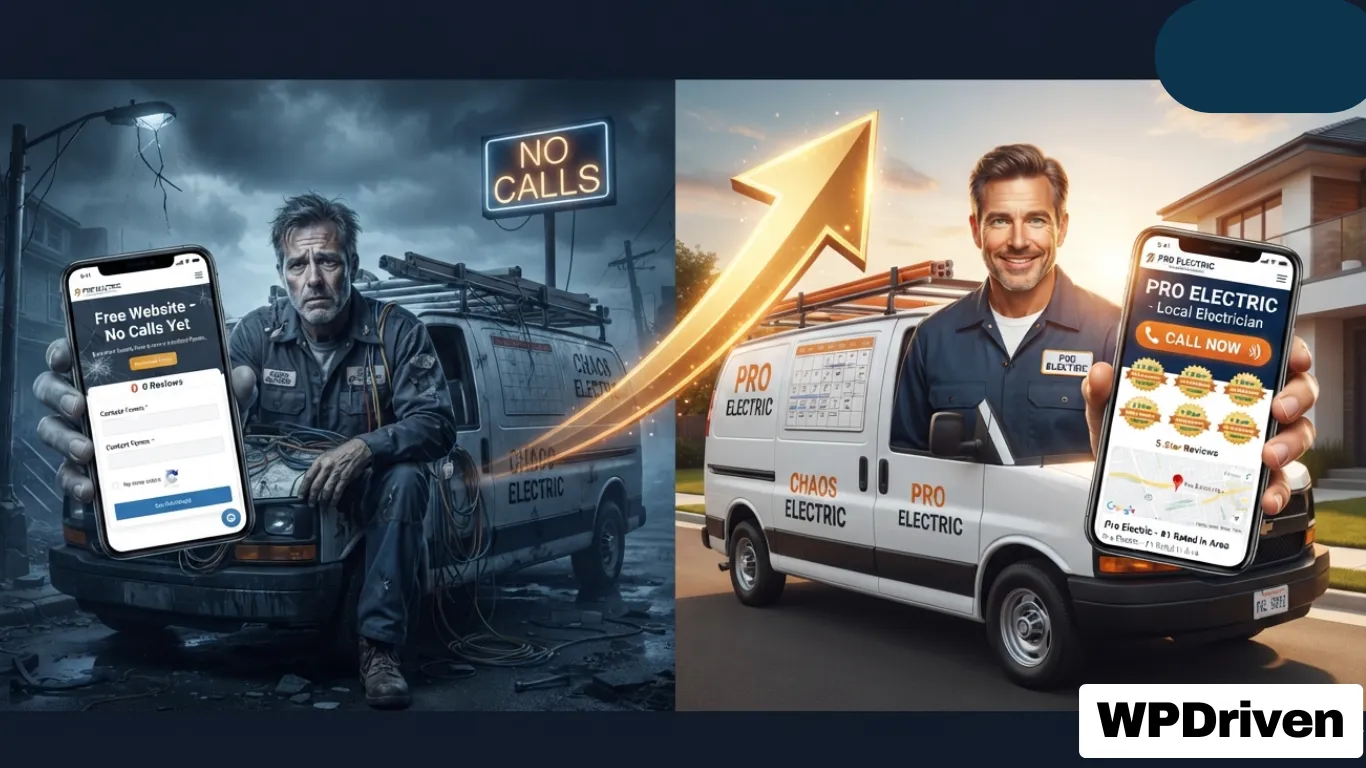
    Most electricians deal with inconsistent calls. Some weeks feel packed, others feel dead. That unpredictability makes it hard to grow, hire, or even relax a bit. The demand is there. The visibility isn’t.

    Here’s the reality: if you don’t show up on Google Maps or the first page of search results, you’re invisible. High-intent searches like “emergency electrician near me” are where the money is. Miss those, and you miss ready-to-book customers.

    Simple truth: if they can’t find you, they can’t hire you.


    The Modern Electrician’s Marketing Funnel

    Marketing isn’t just about showing up online — it’s about showing up at the right time with the right message.

    A “marketing funnel” describes the journey people go through from the moment they realize they need a service to the point they choose who to hire.

    StageWhat’s HappeningYour Opportunity
    AwarenessHomeowner notices flickering lights or a tripped circuit. They search online for causes — not yet ready to call.Create helpful content that answers their questions and builds trust early
    ConsiderationAfter research, they realize they need a pro. Now they’re Googling local electricians, reading reviews, and comparing websitesShow up in local search with a strong Google Business Profile and positive reviews
    DecisionThey choose the electrician they trust most — often based on online presence, reviews, and how easy it is to contact themMake it effortless to call or book. Clear CTAs, click-to-call buttons, and fast response times

    If your business only shows up at the decision stage, you’re missing opportunities to build trust earlier in the process.


    The 5-Channel Electrician Marketing Stack

    You don’t need more tactics. You need the right mix working together.

    ChannelRoleResult
    SEOLong-term visibilityFree ongoing traffic
    Google Business ProfileLocal map presenceHigh-intent calls
    Local Services Ads (LSAs)Pay-per-leadFast conversions
    PPC / Google AdsImmediate trafficScalable leads
    Social MediaTrust buildingBrand awareness

    Each channel targets a different stage of the buying process. Some people are researching. Others need help now. When you combine all five, you stop relying on one source. That’s how you stabilize your lead flow.


    Local SEO — The Foundation

    SEO is your long game. It takes time, but it pays off. Search results are smarter now. Google looks at relevance, authority, and user experience.

    Key electrician SEO strategies:

    StrategyWhat to Do
    Service PagesOne page per service: panel upgrades, emergency repairs, wiring installation
    Location PagesTarget the cities you serve with dedicated pages
    Internal LinkingLink everything together so users and search engines can move through your site easily
    Local CitationsList your business in directories. Get links from local and industry sites

    Timeline and ROI: Electrician SEO services typically take about 3 to 6 months to show solid results. But once it works, it keeps bringing in leads without paying per click.


    Google Business Profile — Get More Calls from Maps

    Your Google Business Profile (GBP) is often the first thing people see. It can drive more calls than your website if done right.

    Optimization Basics:

    • Correct name, address, phone (NAP consistency matters!)
    • Proper categories
    • Updated photos of your work
    • Keep everything consistent across platforms

    Reviews Strategy

    Reviews can make or break your listing. Ask for reviews after every job. Keep it simple. Then respond to them — it shows you care and helps rankings. Most consumers read reviews before choosing a service provider.

    Pro tip: 83% of consumers use Google to find local business reviews. If your reviews aren’t strong, you’re invisible to almost all potential customers.


    Paid Advertising — Get Leads Fast

    Google Local Services Ads (LSAs)

    LSAs are designed specifically for local businesses. They appear at the top of search results and use a pay-per-lead model, which means they can be significantly cheaper than standard ads. Google may show a “Google Guaranteed” badge after verification, which builds instant trust.

    Why electricians use LSAs:

    • They appear at the very top of search results
    • More visibility = higher chances of getting calls
    • Faster replies often lead to more bookings

    Google Ads (PPC)

    Sometimes you need leads now, not months later. PPC puts you at the top of search results immediately.

    Campaign types that work:

    • Search ads for high-intent keywords
    • Call-only ads for urgent services
    • Retargeting to bring back missed visitors

    Budget and tracking: Track every lead. Know your cost per call. If you’re not measuring, you’re guessing — and guessing costs money.


    Your Website — The 24/7 Salesperson

    Your website should do more than look decent. It should work as hard as you do — bringing in calls, capturing leads, and showing homeowners you’re the pro they can trust.

    The five non-negotiables for an electrician website:

    RequirementWhy It Matters
    Visibility (SEO)Built so search engines understand who you are, where you operate, and what services you offer
    Mobile-First61% of electrician-related searches happen on mobile
    Security (HTTPS)Builds trust with visitors
    Fast Loading40% of visitors leave if a site takes more than 3 seconds to load
    Great UXEasy navigation, prominent contact details, clear services

    Core elements to include:

    • Click-to-call buttons on every page
    • Booking forms
    • Live chat
    • Reviews and trust signals

    Every page should answer three things instantly:

    1. What do you do
    2. Where do you work
    3. How do they contact you

    Content That Builds Trust

    You might not think of yourself as a content creator — but educating your audience builds trust, and trust leads to jobs.

    Why content works:

    • 82% of customers feel more confident in a company after reading custom content
    • 70% feel closer to a brand because of it
    • Every blog post is an opportunity to answer a common customer question

    Content ideas for electricians:

    • Before-and-after project photos
    • FAQs about common electrical problems
    • Blog posts explaining repair vs. replace
    • Seasonal safety tips

    When someone lands on your website and finds answers to their questions — whether about GFCIs, circuit breakers, or panel upgrades — they instantly see you as an expert.


    Key Electrician Keywords to Target

    Keywords connect your services to what people search for.

    Keyword TypeExamples
    High-Intentelectrician near me, emergency electrician [city]
    Service-Basedelectrical repair, panel upgrades, wiring
    Long-Tailhow much does an electrician cost, panel upgrade cost [city]

    Use one main keyword per page. Match your content to what people actually want.


    What an Electrician Website & Marketing System Should Do

    If You Want…You Need…
    More emergency callsLocal SEO + Google Map Pack optimization
    Trust and credibilityProfessional, mobile-responsive website with reviews
    More online bookingsOnline scheduling + clear CTAs
    Immediate visibilityGoogle Local Services Ads
    Long-term authorityBlog content + local citations

    Your Next Step

    If you’re an electrical contractor ready to stop losing leads to competitors and start growing your business:

    Option 1: Get a Professional 5-Page Website
    ➡️ $299 One-Time — Built in 5 Days →

    Option 2: Add an AI Chatbot for 24/7 Lead Capture
    🤖 Custom AI Chatbot — $299 One-Time →

    Option 3: Free Consultation — Let’s Talk About Your Business
    📞 No-Obligation Call →


    Related Posts

  • Trucking & Logistics Web Design: Build a Site That Hauls in Freight (2026)

    Trucking & Logistics Web Design: Build a Site That Hauls in Freight (2026)

    For trucking, freight, and logistics companies, your website is often the first impression a potential client has of your business. Shippers and freight brokers will judge your professionalism, reliability, and capacity within seconds of landing on your page.

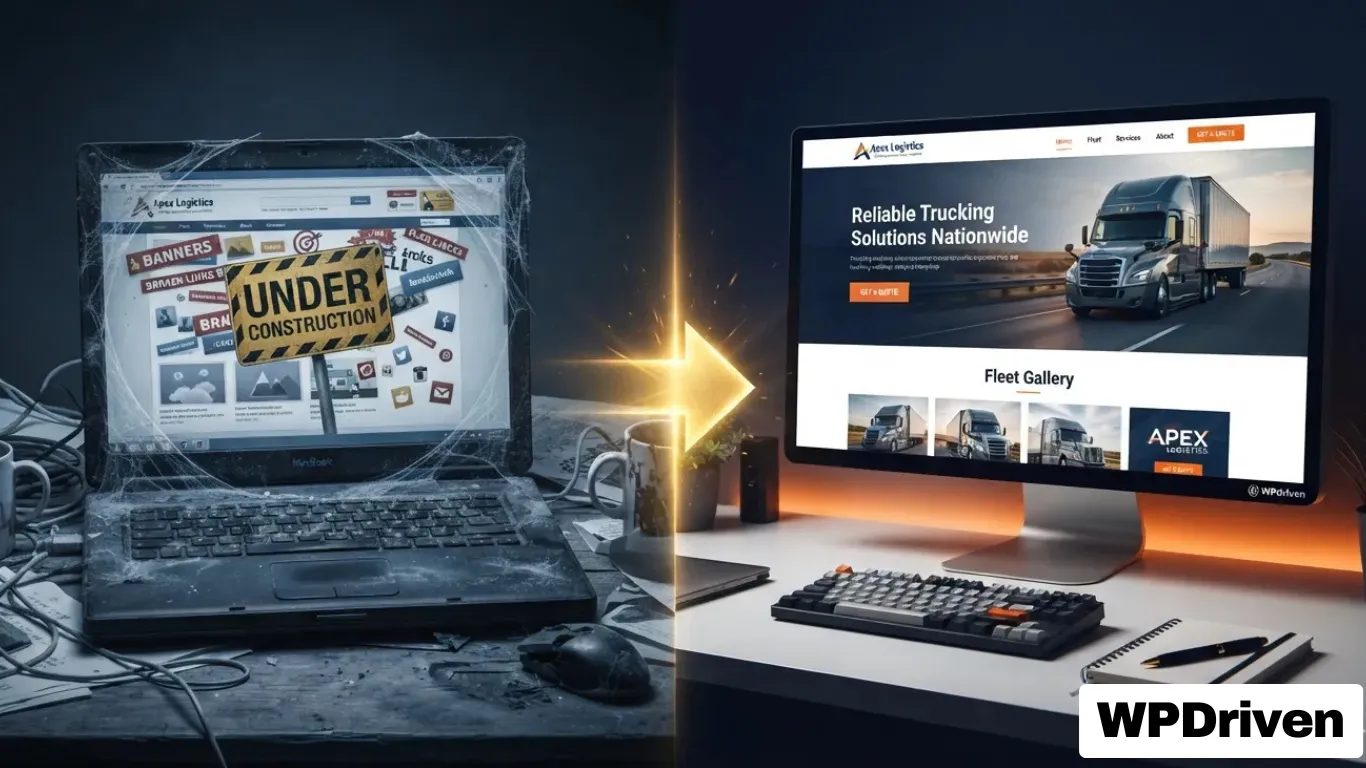
    A poorly designed website is a direct leak of revenue. A professional, high-converting site is one of your most powerful tools for winning new contracts and building a trusted brand.

    This guide covers everything trucking companies need to know about building a website that works as hard as your fleet.


    Why Trucking Companies Need a Professional Website

    A well-designed website is a central hub for your logistics business. It serves multiple critical functions:

    FunctionBenefit
    B2B CredibilityA professional site showcases your fleet, certifications (FMCSA, USDOT), and insurance, building instant trust with shippers and brokers.
    Lead GenerationModern templates include features like “Get a Quote” buttons and freight-specific contact forms to capture inquiries 24/7.
    Competitive AdvantageA strong site helps you dominate local and regional freight searches, making it easier for potential clients to find you.
    Driver RecruitmentA dedicated “Careers” section helps attract qualified CDL drivers, directly addressing a major industry challenge.

    Must-Have Features for a Trucking Website

    To compete in the logistics industry, your website needs to include key features that address the unique needs of your clients and your business. Many modern logistics templates are designed with these features built-in.

    FeatureWhy It’s Important
    Services ShowcaseClearly list your services—truckload, flatbed, refrigerated, intermodal—with detailed pages for each.
    Fleet GalleryShowcase your trucks, trailers, and equipment to demonstrate capacity and professionalism.
    Freight TrackingA tracking tool allows clients to check shipment status without calling, improving customer satisfaction and reducing administrative load.
    Load Quote FormA quote form for potential clients to get quick estimates for their shipping needs is a powerful lead generation tool.
    Trust SignalsInclude safety ratings, client testimonials, and partner logos to build credibility.

    Design & Performance Essentials

    A beautiful design must be backed by fast loading times and a seamless user experience.

    FeatureBusiness Impact
    Responsive Mobile DesignOver 60% of B2B searches happen on mobile. Your website must be easy to use on any device. Built-in responsiveness in templates ensures a consistent experience across all screens.
    Fast Loading SpeedsA slow website is a conversion killer. Optimized code and performance-focused design help your site load quickly, keeping visitors engaged.
    SEO-Ready StructureA clean codebase, semantic HTML, and optimized layouts are essential for good search engine rankings. This is a foundational feature of professional templates.
    Simple NavigationUsers should easily find your services, contact information, and quote forms. Clear, intuitive layouts guide visitors through the site.

    How WPDriven Can Build Your Trucking Site

    WPDriven specializes in building professional websites for trucking, logistics, and delivery companies. The approach combines a strategic, conversion-focused design with a hassle-free process.

    Our Process

    PhaseWhat Happens
    1. DiscoveryWe learn about your fleet, services, and target market to create a site that reflects your unique brand.
    2. Design & BuildWe design a custom site tailored to your specifications, including key features like fleet galleries, service pages, and quote forms.
    3. Launch & SupportWe handle the hosting and technical launch, ensuring your site is fast, secure, and ready to generate leads.

    Key Differentiators:

    • Industry Experience: We understand the logistics industry and what it takes for a trucking company to succeed online.
    • Conversion-Focused Design: We build sites with clear calls-to-action to turn visitors into qualified leads.
    • Fixed Price & Fast Delivery: A simple pricing model ensures you get a professional website without hidden costs or delays.

    From Free Templates to Professional Solutions

    While free or generic templates might be tempting, they often lack the specific features required for a logistics business. They also frequently come with limitations on customization, scalability, and SEO, which can hurt your business in the long run.

    A custom-built website from WPDriven ensures you get a tailored solution designed for your industry and your goals. It’s a long-term investment in your company’s growth.


    Summary

    For a trucking or logistics company, a professional website is a non-negotiable tool for winning contracts. Key features like service showcases, fleet galleries, and quote forms are essential for driving business growth.

    If You…Your Website Should…
    Want to win B2B contractsShowcase professionalism and certifications
    Need to attract driversFeature a careers page
    Want more inquiriesInclude quote forms and clear CTAs

    Your Next Step

    If you’re ready to build a trucking website that generates leads, WPDriven can help.

    🔍 See Our Website Design Services →
    🚛 Get a Custom Quote for Your Fleet →

Does your business have a physical address?
How many new customers can your business take on each month?
What's your annual revenue?
⚠️ Answer honestly so we can help you best ⚠️
How much capital do you have available to use for growing your business?
Boost your landscaping leads.
Share your name, phone number, and project details so we can set up your automated appointment system.
Confirm & Secure
Agree to our data policy to finish your submission.
Let’s Get You Started
Tell us your current platform or website so we can begin setting up your maintenance and update plan.
Ready to keep your app or website running smoothly?
Share your name, phone number, and platform details so we can tailor the perfect maintenance and update plan for you.
Confirm & Secure
Agree to our data policy to finish your submission.
Ready to automate your bookings?
Tell us your current business name and choose your business services to get started.
Ready to boost your bookings?
Share your name, phone number, and calendar details so we can set up your automated appointment system.
Confirm & Secure
Agree to our data policy to finish your submission.
Ready to explore your app vision?
Share your name and email so WPDriven can craft a personalized app concept just for you.
Tell us about your app idea!
Share a few details about your concept or the type of app you want — so we can shape your custom demo perfectly.
Get Started Today
Experience Smart AI Solutions Instantly!
About You
Share a few details about yourself to help us tailor your experience.
man is holding microphone other hand is pointing globe 479259 12580

Unleash WPDriven

Transform your workflow with cutting-edge AI automation.

Ready to grow your business online?
Tell us your platform now
Ready to grow your business online?
Share your name and chosen plan so we can tailor the perfect digital marketing strategy for you.
Ready to see your free website demo?
Share your name and email so we can craft a demo just for you.
Tell us about your website!
Share a few details about your website or the type you want — so we can tailor your demo perfectly.
Ready to see your free website demo?
Share your name and email so we can craft a demo just for you.
Tell us about your website!
Share a few details about your website or the type you want — so we can tailor your demo perfectly.
Ready to see your free website demo?
Share your name and email so we can craft a demo just for you.
Tell us about your website!
Share a few details about your website or the type you want — so we can tailor your demo perfectly.
Reason for Contact
This helps us understand why you’re reaching out.
Let’s Get to Know You at WPDriven!
Share a few details about yourself so we can better assist you.
What brings you here?
What type of Free Demo we can create for you?
Welcome to WPDriven!
Tell us about yourself.
Almost Done!
view new york city sunset

Step into WPDRIVEN
Join today and unlock limitless possibilities with our free demos.