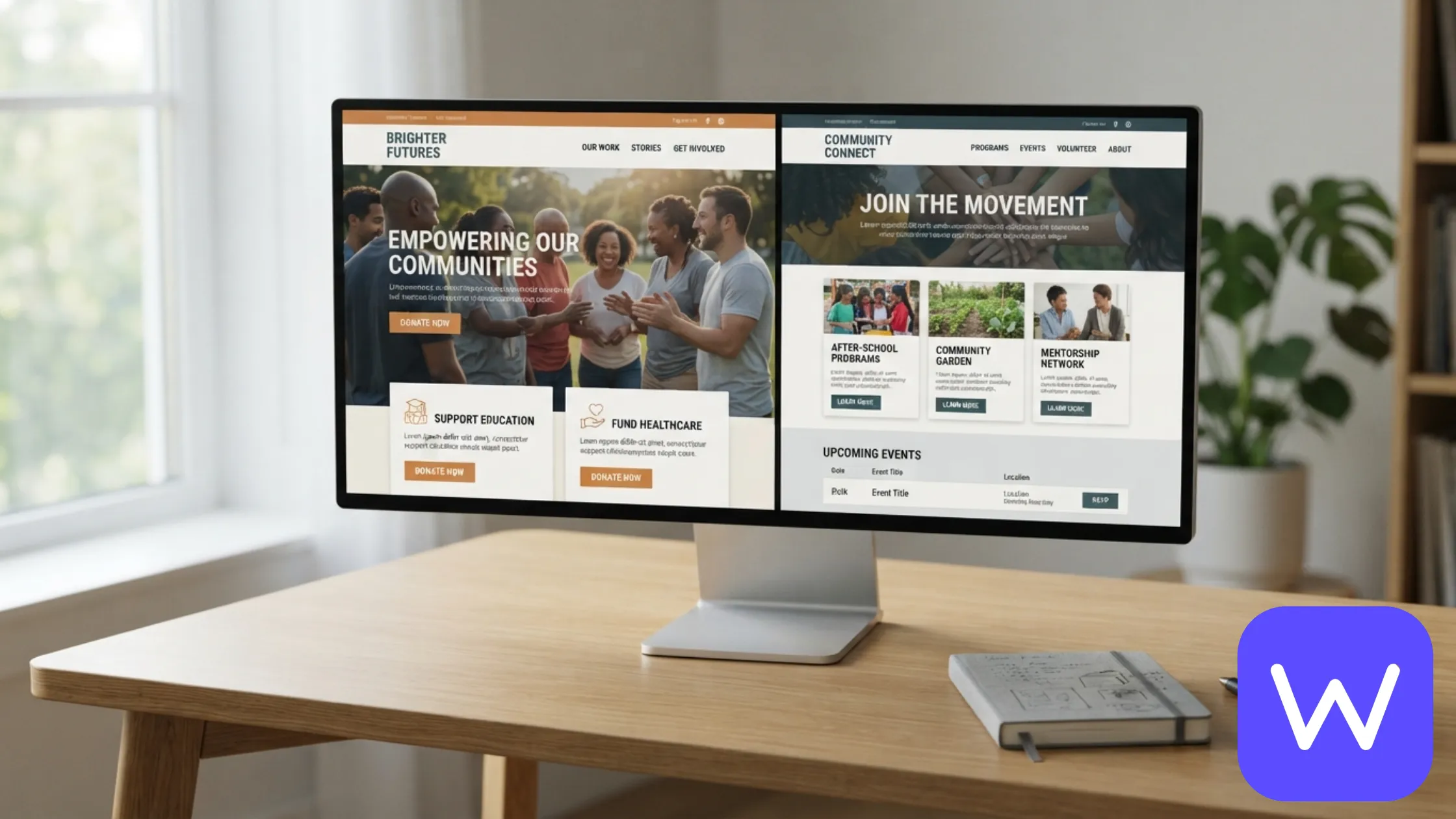
Quick Answer: We have built nonprofit websites for mission-driven organizations across different causes. This post shows two real projects: MDVN (mission storytelling) and CCSI (community engagement). Both are on WordPress. Each one solves a different problem in nonprofit website design. Here is what we built and why it works.
Nonprofit websites have a harder job than most business websites. They have to tell a story that makes people care, make giving easy enough that people actually do it, and keep supporters engaged long after the first donation. That is three jobs in one website, and most nonprofit sites do one or two of them well.
This post covers two real nonprofit projects we have built on WordPress. Each one is a different type of nonprofit, and each one shows a different approach to the same core challenges: storytelling, donation paths, and community engagement.
If you want to see a third example with verified donation results, see our Santa Ana Foundation case study (+38% donations). If you want the full breakdown of what a nonprofit website costs, see our WordPress web design pricing.
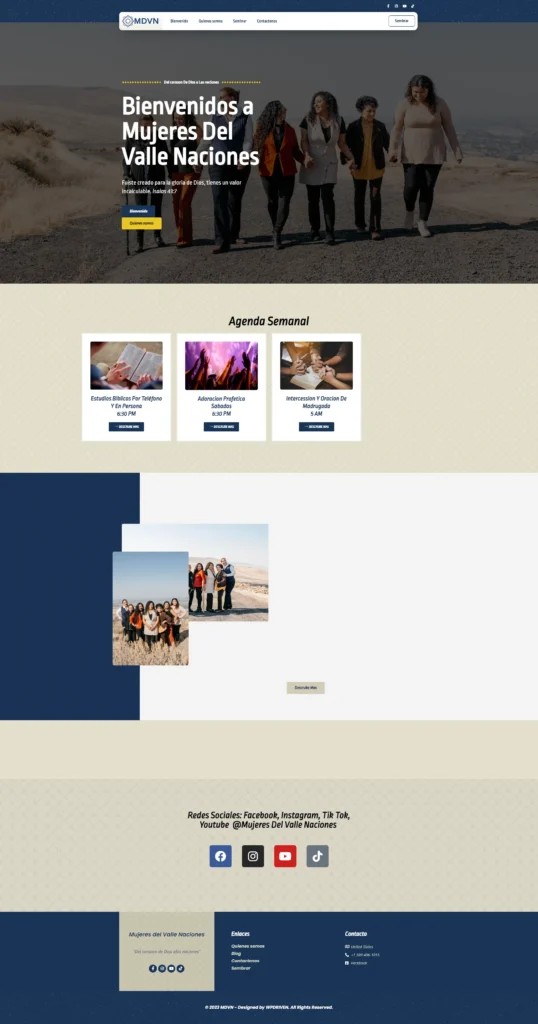
MDVN — mission storytelling for a nonprofit
What it is: A nonprofit organization that needed a website to tell its mission clearly and make supporting the cause straightforward.
Platform: WordPress
Focus: Mission storytelling
The problem: MDVN had a clear mission but a website that did not communicate it. The story was buried behind text-heavy pages, the donation path was unclear, and visitors could not tell what the organization actually did or how to support it.
What we built:
- A story-first homepage that explains the mission in the first 5 seconds
- Dedicated story pages for the people and programs the organization supports
- A clear donation path with impact numbers so donors can see what their gift supports
- A clean layout that builds trust without overwhelming the visitor
Why it works: Nonprofit donors give because they believe in the mission. If the mission is not clear in 5 seconds, they move on. MDVN’s site now leads with the story, shows the impact, and makes giving the obvious next step.
If you want to see how we approached a similar challenge with verified results, see our Santa Ana Foundation case study.
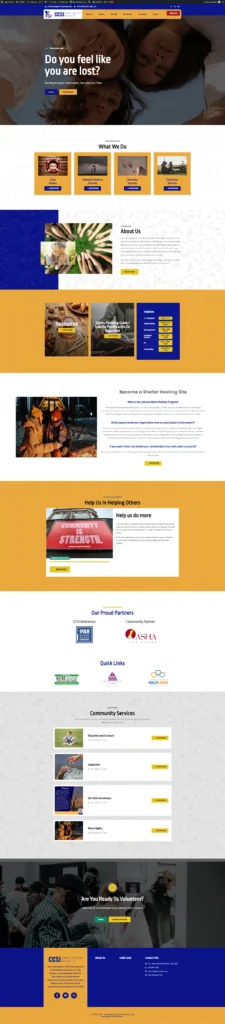
CCSI — community engagement for a nonprofit
What it is: A nonprofit organization that needed a website to explain its programs and make it easy for the community to engage.
Platform: WordPress
Focus: Community engagement
The problem: CCSI had multiple programs and community initiatives but no clear way to present them. Visitors could not tell which programs were running, who they served, or how to get involved. The website was a list of pages, not a community hub.
What we built:
- Clear program pages organized by who they serve and what they offer
- Community engagement paths (volunteer, donate, participate)
- Clear navigation that helps visitors find what is relevant to them
- Donation call-to-actions integrated into every program page
- A structured layout that presents the organization as a hub, not a brochure
Why it works: Community nonprofits are judged by how easy it is to get involved. If a visitor has to dig through the site to find the volunteer page or the program they care about, they leave. CCSI’s site now makes engagement the obvious next step on every page.
What these two nonprofits have in common
Different missions, different audiences. Same principles:
1. Story first, always
Every nonprofit website we build leads with the story. Not the history of the organization, not the board of directors — the people and the mission. A donor who feels the mission in 5 seconds is a donor who reads further. A donor who sees a wall of text is a donor who leaves.
2. Donation paths have to be visible
A donation page that is buried in the navigation is a donation page nobody uses. Every nonprofit site we build has the donation path visible on every page, with a clear call-to-action and a simple flow.
3. Community engagement is not a side page
For community nonprofits, engagement is the mission. Volunteer paths, program pages, and event listings are not side pages. They are the main event. Every site is built to make engagement easy.
4. Mobile-first is not optional
Most nonprofit donors and volunteers browse on their phones. Every site is designed for mobile first, because a nonprofit website that does not work on a phone is a nonprofit website that loses most of its traffic.
5. Trust signals matter more than design flourishes
Nonprofits are trusted with donations. The site has to make it clear that the organization is legitimate, transparent, and accountable. That means clear contact information, visible credentials, and a layout that feels professional, not flashy.
How we approach nonprofit website design
Every nonprofit website build starts with three questions:
- Who is the donor or supporter? What makes them care about this mission? What do they need to see to trust the organization?
- What is the single most important action? Donate? Volunteer? Sign up for a program? The site is built around that action.
- What is the story? Not the history — the story. The people, the programs, the impact. The site is built to tell it.
From there, we build a WordPress site with clear storytelling, visible donation paths, community engagement pages, a mobile-first design, and a technical SEO foundation. Every nonprofit site follows the same playbook, because the underlying challenge is the same across causes.
If you want to see how we approached a similar challenge for a nonprofit with verified results, see our Santa Ana Foundation case study. If you want to see how we handle the same core challenges for a coaching practice or personal brand, see our Soulfully and Cindy Trimm case studies.
Frequently asked questions
How long does a nonprofit website take to build?
Most nonprofit websites take 5 to 10 business days from approval, depending on how many story pages and program pages you need and how quickly you provide content and photography. More complex builds with custom donation integrations take 2 to 4 weeks.
How much does a nonprofit website cost?
Most nonprofit websites start at $1,200 for a starter build with up to 5 pages, or $2,400 for a growth build with up to 10 pages including story pages, impact numbers, and a mobile-first donation flow. Custom builds start at $4,000. See the full breakdown on our website cost guide.
Can my nonprofit website take donations automatically?
Yes. All our nonprofit builds include a mobile-first donation flow that lets donors give in under a minute, with multiple payment options and a confirmation page. We can set up the same thing for your nonprofit.
Do you build nonprofit websites on WordPress only?
WordPress is our default for nonprofit websites because it gives you the best control over storytelling, donation flows, and SEO. We also build on other platforms when that is the right fit, and we will recommend the platform based on your goals, not our preference.
Can you improve the conversion rate of my existing nonprofit website?
In many cases, yes. Sometimes the fix is a clearer story-first layout and a better donation flow. Sometimes it is a full rebuild. A free website health check will tell you which path makes sense for your site.
See what your nonprofit website could look like
Tell us about your mission and what you want the site to do. We reply within 24 hours with a custom recommendation and a plan for a free demo. No obligation, no pressure.
Prefer to chat first? Message us on WhatsApp and we will reply during business hours.
Related reading: